 DALY
DALY 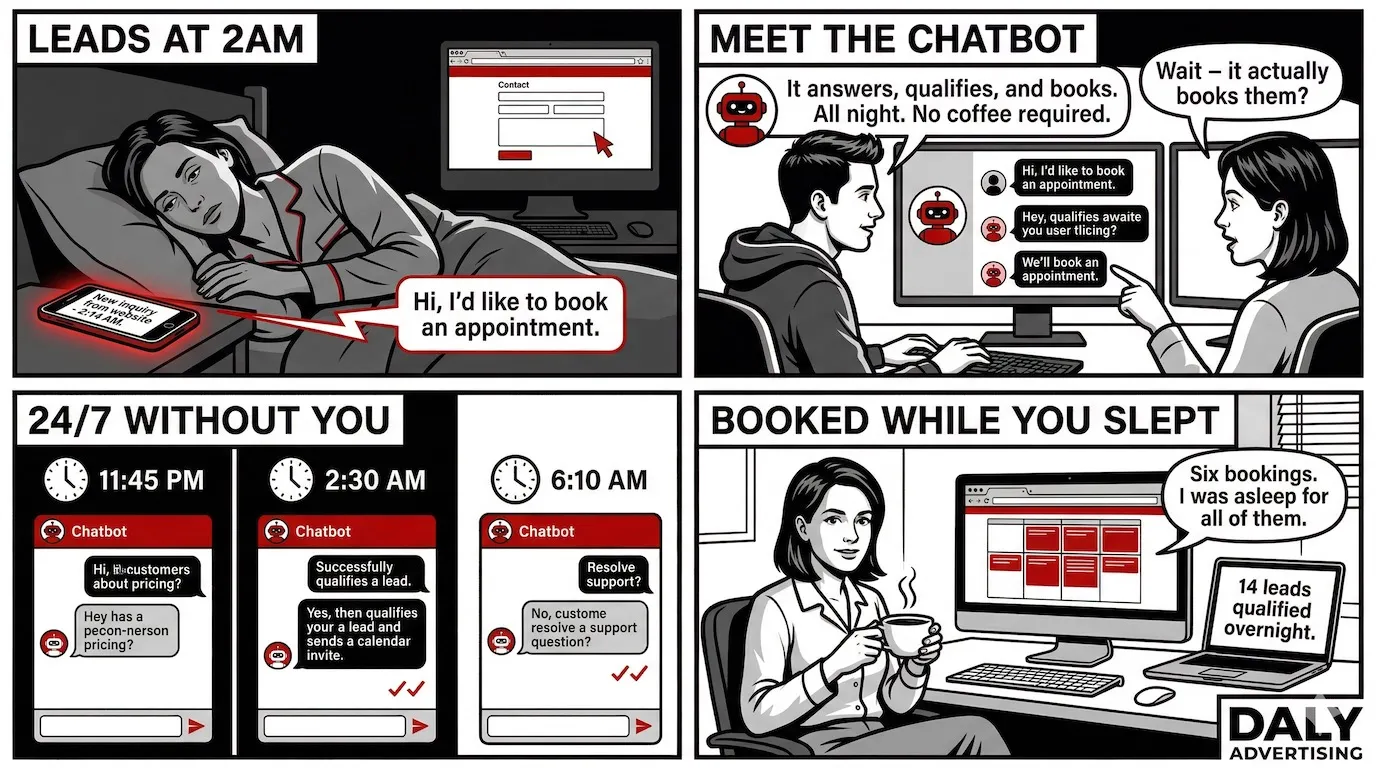
AI chatbots generate 3x more leads from website traffic than static contact forms. Yet 78% of small business websites still use a contact form as their primary conversion tool. That gap is not a technology problem. It's a deployment problem.
Most businesses that "tried a chatbot" tried the wrong thing. They installed a rule-based widget, watched it frustrate visitors, and concluded chatbots don't work. What they actually learned is that scripts don't work. Modern AI chatbots powered by large language models are a different category entirely. They answer in natural language, qualify leads automatically, book appointments without human involvement, and hand off to your CRM before a human touches the conversation. According to IBM, businesses that deploy them cut customer support costs by 30% on average. According to Gartner, they handle up to 80% of routine queries without any human intervention.
This guide covers everything a business owner needs to evaluate, plan, and deploy an AI chatbot that actually performs: what distinguishes a real AI chatbot from a glorified FAQ widget, how to calculate the ROI before you spend a dollar, which use cases move real revenue, and what separates a chatbot that converts from one that just sits on your site looking busy. If you've been skeptical, the math in the next section will change your mind.
What Is an AI Chatbot for Business (and What Makes It Different From a Bot)
Most business owners have been burned by a "bot" before. You added a widget to your site, it asked "How can I help you?" and then failed to answer anything useful. That was a rule-based bot. It followed a script. It couldn't adapt. And it frustrated the 67% of consumers who, according to Salesforce, interacted with a chatbot for customer support in the past year.
An AI chatbot is built differently. Instead of a decision tree with fixed branches, it runs on a large language model (LLM) - the same underlying technology powering GPT-4 and Claude. That means it understands intent, handles messy questions, and responds in natural language. A visitor who types "do you guys do same-day?" gets a useful answer, not a confused "I didn't understand that."
Rule-Based Bots vs AI Chatbots
The distinction comes down to how they handle variation. A rule-based bot matches keywords to pre-written responses. Change one word - "price" versus "cost" versus "how much" - and it breaks. An AI chatbot understands that all three phrases mean the same thing. It handles synonyms, typos, and even incomplete sentences because it's processing meaning, not matching text strings.
Gartner reports that AI chatbots can handle up to 80% of routine customer queries without human intervention. Rule-based bots top out around 30-40% before conversations hit a dead end and customers bounce.
What an AI Chatbot Actually Does
A well-built business chatbot does four things: it answers questions, qualifies leads, routes conversations, and converts visitors into contacts. Those aren't four separate features - they're a sequence. A visitor lands on your pricing page, the bot answers their first question, asks two qualifying questions, identifies them as a high-intent buyer, and either books a call or routes them to your sales team. All in under 90 seconds.
The Three Layers Behind Every Business Chatbot
Understanding the architecture helps you buy or build smarter. Every AI chatbot runs on three layers. The UI layer is what visitors see - the chat widget, the message bubbles, the interface. The logic layer is the LLM plus your conversation flows and knowledge base - this is where the intelligence lives. The integration layer connects the bot to your CRM, calendar, helpdesk, or ecommerce platform so actions taken in the chat actually do something in your business systems.
Most SaaS tools give you a strong UI layer and a generic logic layer. Where they fall short is the integration layer - because connecting a bot to your specific CRM, booking flow, or inventory system requires configuration that "plug and play" rarely covers. That gap is where most chatbot disappointments live.
The Real ROI of AI Chatbot Deployment: Show the Math
A chatbot isn't a tech expense. It's a staffing decision. The question isn't "how much does it cost?" - it's "what does it cost me to not have one?" Here's what the numbers actually look like.
Support Cost Reduction
IBM's 2023 data puts the average support cost reduction at 30% after AI chatbot deployment. For a business handling 500 support interactions per month at an average cost of $8 per ticket (a conservative benchmark for a small support team), that's $1,200 saved every month - $14,400 per year - from routine query deflection alone. The bot handles password resets, order status checks, pricing FAQs, and appointment confirmations. Your team handles the problems that actually need a human.
Lead Capture ROI
Drift's Conversational Marketing Report found that AI chatbots generate 3x more leads from the same website traffic compared to static contact forms. If your contact form converts at 1.5% of visitors and your site gets 2,000 visitors per month, you're capturing 30 leads. A chatbot at 4.5% conversion pulls 90. At a $200 average lead value, that's $12,000 per month in additional pipeline from traffic you're already paying for.
After-Hours Revenue
Small businesses that deploy chatbots see an average 25% increase in after-hours lead capture. Think about what that means: visitors land on your site at 10 PM, have a question, get an answer, and book a consultation - while you're asleep. Without the bot, that visitor leaves, searches again tomorrow, and probably finds a competitor who was easier to reach.
Response Time and Conversion
Average email response time is 12 hours. A chatbot responds in under 5 seconds. The Harvard Business Review found that responding to a lead within 5 minutes versus 30 minutes makes you 21x more likely to qualify that lead. Every hour you wait, conversion probability drops. A chatbot eliminates the wait entirely.
Sample ROI Calculation: $2M/Year Service Business
| Metric | Without Chatbot | With Chatbot | Monthly Difference |
|---|---|---|---|
| Support tickets handled by staff | 500/month | 100/month | -400 tickets |
| Support cost @ $8/ticket | $4,000 | $800 | $3,200 saved |
| Leads from website (2,000 visitors) | 30 leads (1.5%) | 90 leads (4.5%) | +60 leads |
| After-hours leads captured | 8/month | 10/month | +2 leads |
| Additional pipeline value @ $200/lead | - | +$12,400 | +$12,400 |
| Chatbot management cost | $0 | $500-$1,500/month | -$1,000 (midpoint) |
| Net monthly gain | - | - | +$14,600 |
That's a conservative model. It doesn't account for the compounding effect of faster lead response times, higher close rates from better-qualified leads, or the staff hours redirected from ticket handling to revenue-generating work. The chatbot doesn't just save money - it makes the rest of your operation more efficient.
AI Chatbot Use Cases That Actually Move Revenue
The businesses that get the most from an AI chatbot for business aren't using it for one thing. They're using it as a layer that sits across every customer touchpoint and handles the high-volume, low-complexity interactions that eat staff time without adding proportional value. Here's where the real ROI lives.
Customer Support Automation
Gartner's benchmark of 80% routine query deflection is achievable in most SMB environments because most support queues are dominated by the same 15-20 questions. Hours of operation, pricing, service areas, appointment changes, return policies. A chatbot trained on your knowledge base handles all of these and only escalates when something genuinely requires human judgment. Your support staff stops being a FAQ machine and starts handling real problems.
Lead Qualification: Replacing Dead Contact Forms
A contact form asks for a name and email and then disappears into your inbox. A chatbot asks the right questions in real time: What service are you looking for? What's your timeline? What's your budget range? By the time a visitor's contact information hits your CRM, you already know if they're a qualified lead or a tire-kicker. Chatbot conversations carry a 40-60% engagement rate - compare that to the 2-5% engagement rate on traditional email outreach, and you see why the conversation-first model wins.
Appointment and Booking Automation
For service businesses - HVAC, roofing, legal, healthcare, consulting - the booking step is where leads die. They call, get voicemail, lose momentum, and move on. A chatbot integrates directly with your calendar tool (Calendly, Acuity, Google Calendar) and books appointments inside the chat window. Small businesses using chatbots for booking report a 25% increase in after-hours lead capture because the bot closes the appointment at 11 PM the same way it does at 11 AM.
E-Commerce: Order Tracking, Returns, and Recommendations
Order status questions account for roughly 35% of all e-commerce support tickets. A chatbot connected to your Shopify store or order management system answers every one of them instantly, without a human touching the queue. The same bot handles return initiation, surfaces relevant products based on browsing behavior, and pushes users toward upsells at the right moment in the conversation.
Internal Use Cases: HR, IT Helpdesk, Onboarding
The internal chatbot opportunity is underused by most SMBs. An HR bot answers benefits questions, routes PTO requests, and surfaces policy documents. An IT helpdesk bot handles password resets and software access requests - tasks that consume 40-60% of internal IT tickets at most companies. An onboarding bot walks new hires through their first two weeks without scheduling a single meeting.
Use Case Comparison by Business Type
| Business Type | Primary Use Case | Secondary Use Case | Expected Deflection Rate |
|---|---|---|---|
| Home services (HVAC, roofing, plumbing) | Lead qualification + booking | FAQ deflection | 65-75% |
| E-commerce (Shopify, DTC) | Order tracking + returns | Product recommendations | 70-80% |
| Professional services (legal, finance, consulting) | Intake qualification | Appointment booking | 55-65% |
| SaaS / Tech | Tier-1 support deflection | Onboarding guidance | 75-85% |
| Healthcare / dental / wellness | Appointment scheduling | Insurance FAQ | 60-70% |
| Internal / HR / IT | Policy FAQ + ticket routing | New hire onboarding | 70-80% |
The use case that matters most depends on where your biggest operational drag is right now. If your phone rings all day with the same three questions, start with FAQ deflection. If leads are going cold because no one follows up fast enough, start with qualification and booking. Pick one problem, solve it completely, then expand.
How to Plan an AI Chatbot Before You Build Anything
Most chatbot failures aren't technology failures. They're planning failures. The bot goes live without a defined purpose, a mapped conversation flow, or a clear handoff rule - and within two weeks, visitors are getting dead ends, staff are getting confused escalations, and the whole thing gets switched off. Businesses that document their conversation flows before the build report 2x higher deflection rates than those that design on the fly. That gap is entirely preventable.
The Three Questions Every Business Must Answer First
Before you write a single conversation node, answer these three: What is the one outcome this chatbot must produce? (A booked appointment, a qualified lead, a deflected support ticket - pick one primary goal.) Who is it talking to? (First-time visitors, returning customers, existing clients, internal staff - the voice and flow change significantly depending on the audience.) What does it do when it can't help? (If you don't define the escalation path, visitors hit dead ends and leave frustrated.)
Every other planning decision flows from these three answers. Skip them and you're building a tool without a job description.
Mapping Conversation Flows
A conversation flow is a decision tree that maps every possible path a visitor can take through the bot. It starts with the opening trigger - what activates the bot and what's the first message - then branches based on user input at each step. Map it in a tool like Miro, Lucidchart, or even a whiteboard before you touch any chatbot platform. You're looking for: What questions do visitors actually ask? What does a qualified lead say versus an unqualified one? Where does the bot need to collect information, and in what order?
In practice, most B2B service businesses need 3-5 core flows: a lead capture flow, a support FAQ flow, a booking flow, an out-of-hours flow, and a human escalation flow. Each one is 5-10 conversation steps. Map all of them before you build any of them.
Defining the Knowledge Base
The knowledge base is what your bot knows. It includes your service descriptions, pricing (even if it's "starting from"), service area, hours, policies, FAQs, and any objection-handling language your sales team uses. The more complete it is at launch, the higher your deflection rate from day one. Pull your content from three sources: your existing FAQ page, your sales team's most common call scripts, and your support ticket history from the past 90 days. Those three sources cover roughly 80% of what visitors will ask.
Identifying the Right Triggers
Not every page on your site needs an active chatbot prompt. Trigger the bot proactively on high-intent pages: pricing, services, contact, and checkout. On blog posts and informational pages, use a passive widget that visitors can open themselves - don't interrupt someone who's reading. Time-based triggers (bot appears after 30 seconds on a pricing page) outperform immediate triggers because they catch visitors at the point of consideration, not the moment of arrival.
Setting Escalation Rules
Define exactly three things for your escalation path: when the handoff triggers (after two failed intents, on specific keywords like "cancel" or "complaint", or on explicit user request), where it goes (live agent, email ticket, phone call), and what information transfers with it (full chat transcript, visitor identity, conversation context). A handoff without context is just a restart - and restarting is what makes customers angry.
Common Planning Mistakes That Kill Performance
- Building the bot around what you want to say instead of what visitors actually ask
- No defined escalation path - the bot just says "I can't help with that" and stops
- Launching on every page simultaneously before the flows are tested on one
- Writing knowledge base content in corporate language instead of how customers actually phrase questions
- Skipping post-launch review of unanswered queries - this is where 90% of optimization comes from
Planning a chatbot is really planning a conversation. Connect that to the automated business workflows behind it - the CRM updates, the email sequences, the ticket creation - and you're building a system, not just a widget. The bot is the front door. The workflow is the building behind it.
Off-the-Shelf Chatbot vs Custom-Built: Which One Is Right for Your Business
The chatbot market will hit $27.3 billion by 2030, growing at 23.3% annually (Grand View Research). That growth means more tools, more vendors, and more decisions you have to make before you deploy anything. The core question is simple: do you buy a SaaS tool and configure it yourself, or do you have something built for your specific business?
What SaaS Chatbot Tools Do Well - and Where They Break
Tidio, Intercom, and Drift are the three names you'll see most. They're polished, fast to launch, and cost between $0 and $500/month depending on volume and features. For a basic support FAQ or a simple lead capture form dressed up as a chat widget, they work fine. But "fine" has a ceiling.
Tidio's AI tier caps out at around 50 handled conversations per month on the mid-tier plan. Intercom's Fin product is powerful, but the pricing scales with resolution volume - at $0.99 per AI resolution, a business handling 2,000 support interactions monthly is paying $1,980/month before any seat costs. Drift is built for B2B pipeline, not SMB support. Each tool is optimized for one use case and struggles when you push it outside that lane.
The bigger issue is configuration debt. Every SaaS chatbot requires ongoing tuning: updating knowledge bases, adjusting flows when your services change, fixing broken handoffs after platform updates. That work lands on someone at your company who almost certainly didn't sign up for it.
When a Custom-Built Chatbot Is the Right Call
Custom builds range from $3,000 to $25,000 depending on complexity, integrations, and whether you need a trained model or a retrieval-based system. That sounds steep until you price out 24 months of an Intercom enterprise plan plus the 10 hours/month your ops manager spends maintaining it.
A custom chatbot makes sense when your workflows are non-standard, when you need deep CRM or ERP integration, or when the bot needs to represent your brand in a way a white-labeled widget can't. It also makes sense when you want someone else to own the maintenance - which is the agency-built model.
Done-for-You vs Done-by-You
The done-by-you path means you buy Tidio or Intercom, follow their onboarding, and figure out flows on your own. Most businesses underestimate how long that takes. The done-for-you path means an agency builds the bot, maps the flows, handles integrations, and manages ongoing updates. You own the output; you don't have to operate it.
| Option | Upfront Cost | Monthly Cost | Time to Deploy | Maintenance Burden | Customization |
|---|---|---|---|---|---|
| SaaS (Tidio, free tier) | $0 | $0-$49 | 1-3 days | High (you own it) | Low |
| SaaS (Intercom/Drift, mid tier) | $0 | $200-$500+ | 1-2 weeks | High (you own it) | Medium |
| Custom build (agency-managed) | $3,000-$25,000 | $500-$2,000 | 3-6 weeks | Low (agency owns it) | Full |
| Custom build (self-managed) | $3,000-$25,000 | $0-$200 (infra) | 4-8 weeks | Very high | Full |
The hidden cost no one talks about is internal labor. If your team spends 8 hours/month managing a SaaS chatbot at a $60/hour blended rate, that's $480/month in real cost that doesn't appear on any vendor invoice. Add that to your Intercom bill and the math on a managed custom build looks different.
Not sure which model fits your business? We assess your support volume, integration needs, and budget to recommend the right build path. See our business chatbot solutions to understand what a done-for-you deployment looks like.
AI Chatbot Website Integration: CRMs, Helpdesks, and What to Connect First
A chatbot that doesn't connect to anything is just a fancy FAQ page. The value multiplies when the bot writes leads into your CRM, creates support tickets automatically, and books appointments without a human touching the keyboard. But integration decisions made wrong create more work, not less.
How Website Integration Actually Works
You have three options for getting a chatbot onto your site. A JavaScript widget drops onto any page with a single script tag - fastest to deploy, works on any platform. An embedded chat window sits inside a specific page element, useful for dedicated support or booking pages. An API integration means your frontend talks directly to the bot's backend - more work, but gives you full control over the UI. For most businesses, the widget is week-one. The API integration comes later if you need custom interfaces.
CRM Integration: Your Bot Shouldn't Just Chat, It Should File
CRM-connected chatbots reduce manual data entry by up to 90% on qualified leads. Instead of a rep copying name, email, phone, and inquiry type from a chat transcript into HubSpot, the bot writes the record directly - tagged, scored, and assigned - the moment the conversation ends. Businesses with chatbot-to-CRM integration report 35% faster lead response time because there's no handoff lag between capture and follow-up.
HubSpot and Salesforce are the most common targets. Both have webhook support that makes this straightforward with a properly built bot. GoHighLevel, Zoho, and Pipedrive are also connectable - the complexity depends on whether you're using native integrations or building custom API calls.
Helpdesk, Calendar, and Everything Else
Zendesk and Freshdesk ticket creation can be triggered mid-conversation the moment a bot detects an issue it can't resolve. The ticket gets context from the chat, the user doesn't have to repeat themselves, and the agent picks up with full history. That alone cuts average handle time by 3-5 minutes per escalated ticket.
Calendar integration - Calendly, Acuity, or Google Calendar directly - means a prospect can book a call without ever leaving the chat window. That's not a small thing. Every redirect is a drop-off point.
| Integration Type | Platform Examples | Complexity | Deploy in Week One? | Business Impact |
|---|---|---|---|---|
| CRM lead capture | HubSpot, Salesforce, GHL | Low-Medium | Yes | 90% less manual data entry |
| Calendar booking | Calendly, Acuity, Google Calendar | Low | Yes | Eliminates booking drop-off |
| Helpdesk ticketing | Zendesk, Freshdesk, HubSpot Service | Medium | Yes | Cuts handle time 3-5 min/ticket |
| E-commerce platform | Shopify, WooCommerce, BigCommerce | Medium-High | No (week 2-4) | Order tracking, returns automation |
| Internal systems (ERP, HRIS) | SAP, BambooHR, Workday | High | No (week 4+) | HR/IT ticket deflection |
The rule we follow on every deployment: connect CRM and calendar in week one because they deliver immediate ROI. Everything else - helpdesk, e-commerce, internal tools - gets added in phases after you've validated that the core flows are working. Trying to connect five systems before launch is how chatbot projects miss their deadlines by three months.
If your bot is also triggering backend sequences - follow-up emails, task assignments, pipeline stage changes - that starts crossing into broader AI agents for business automation territory, which is a separate but connected conversation.
AI Chatbot vs Live Chat: When to Use Each (and When to Use Both)
The average live chat interaction costs between $6 and $12, factoring in agent salary, benefits, and overhead. The average AI-handled interaction costs $0.50 to $1.00. At 500 interactions per month, you're looking at $3,000-$6,000 for live chat versus $250-$500 for AI. That math is why every company with a support function is having this conversation.
But the math isn't the whole story.
What Live Chat Still Wins On
Emotional complexity. A customer calling to dispute a charge they're upset about, a patient asking about a diagnosis, a client whose project went wrong - these conversations need human judgment, empathy, and authority to make decisions in real time. AI can recognize sentiment and flag urgency, but it can't negotiate, apologize with real weight, or build the trust that saves a churning customer. That's not a technical limitation you can train away with a better model. It's a feature of human interaction.
What AI Does That Live Agents Never Will
AI handles 500 simultaneous conversations at 2am without overtime pay. It never has a bad day, never gives a different answer to two different users on the same policy question, and never forgets to follow up. It also doesn't need a supervisor, a training program, or a performance review. For high-volume, low-complexity interactions - order status, pricing questions, appointment scheduling, basic troubleshooting - AI isn't a compromise. It's the better choice.
67% of consumers say they prefer a chatbot for simple questions and a live agent for complex issues (Salesforce). That preference map is your deployment guide.
The Hybrid Model Is the Answer for Most Businesses
The best setups don't choose between AI and live chat. They let AI handle the first layer - qualification, FAQs, booking, basic support - and escalate to a human when the conversation hits a complexity threshold. The agent gets the full chat history on handoff, so the customer doesn't repeat themselves. AI handles volume, humans handle complexity. Neither one is doing work they're bad at.
| Model | Best For | Monthly Cost (500 interactions) | Coverage Hours | Handles Emotional Complexity |
|---|---|---|---|---|
| Fully staffed live chat | High-stakes, high-complexity support | $3,000-$6,000 | Business hours only | Yes |
| AI-only chatbot | FAQ, lead capture, booking | $250-$500 | 24/7 | No |
| AI-first + human escalation | Most SMBs and mid-market companies | $800-$2,000 | 24/7 AI, business hours human | On escalation |
| Human-first + AI assist | Enterprise, regulated industries | $4,000-$8,000 | Extended hours | Yes |
For most businesses under $10M in revenue: the AI-first with human escalation model is the right call. You get 24/7 coverage, dramatically lower cost per interaction, and human backup for the conversations that actually need it. The businesses that deploy AI-only and skip the escalation path are the ones that end up with frustrated customers and bad reviews - not because the AI failed, but because the plan didn't account for complexity.
How Much Does an AI Chatbot Cost for a Small Business?
Most businesses ask this question too early - before they know what they want the bot to do. The cost of a chatbot that books appointments and captures leads is different from one that handles 2,000 support tickets per month and connects to a custom ERP. But here's a realistic breakdown by tier.
SaaS Pricing: What You Actually Get at Each Level
Free tiers from Tidio and Freshchat exist, but they're limited to a handful of conversations per month and basic rule-based logic. They're fine for testing, not for running a real business. The SMB sweet spot is the $50-$200/month range, which gets you AI-powered responses, basic CRM integrations, and reasonable conversation volume limits.
| Vendor | Entry Plan | SMB Plan | Volume Limit | AI Capability |
|---|---|---|---|---|
| Tidio | Free | $49/mo | 50 AI conversations/mo | Basic NLP + flows |
| Intercom | $39/seat/mo | $99+/mo | $0.99/AI resolution | Fin AI (GPT-based) |
| Drift | No free tier | $2,500/mo | Unlimited (billed by seat) | Advanced, B2B-focused |
| Freshchat | Free (limited) | $19/agent/mo | Volume-based | Freddy AI add-on |
Custom and Agency-Managed Build Costs
A custom chatbot built and managed by an agency runs $3,000 to $25,000 at build, depending on how many integrations you need, whether you require a trained model, and how complex your conversation flows are. Ongoing management - updates, retraining, monitoring - adds $500 to $2,000/month. That number sounds large until you run the 12-month total cost of ownership comparison.
A business handling 1,000 interactions/month on Intercom's AI tier pays roughly $990/month in resolution fees alone, plus seat costs. Over 12 months, that's nearly $12,000 - before any internal labor. A managed custom build at $8,000 upfront plus $800/month is $17,600 over the same period, but with full customization, no volume caps, and no internal maintenance burden. The delta shrinks fast as volume grows.
What You Should Never Pay For
Avoid any vendor charging per-conversation fees without a cap - costs escalate unpredictably. Don't pay for "AI setup fees" on SaaS tools; that's configuration work you should be able to do yourself with their documentation. And don't sign a managed services contract that doesn't include defined SLAs for response time and update turnaround. Vague retainers are how chatbot projects go stale.
IBM's data shows a 30% reduction in support costs pays back most chatbot implementations within 6 months. That math holds if you deploy correctly and match the build type to your actual support volume. The implementation that fails the payback test almost always skipped the planning phase - which is the section that comes before everything else in this guide.
Using an AI Chatbot for Lead Generation: The Setup That Converts
Contact forms convert at 1-3% of page visitors. That's the industry average, and it hasn't meaningfully changed in a decade. A well-configured lead gen chatbot routinely hits 15-40% engagement on the same traffic. The difference isn't the offer. It's the friction.
Why Contact Forms Fail at the Top of the Funnel
A contact form asks for commitment before it gives anything back. Fill out your name, email, phone number, and message - then wait 24 to 48 hours for a response. For a visitor who's still in research mode, that's too much to ask. They leave. A chatbot meets them where they are, asks one question at a time, and delivers instant value in return for each piece of information.
Drift's Conversational Marketing Report found that AI chatbots generate 3x more leads from the same website traffic compared to static contact forms. That's not a marginal improvement. That's the difference between 10 leads a week and 30 from the same ad spend.
The 5 Questions Your Lead Qualification Flow Should Ask
The sequence matters as much as the questions. Ask for contact info too early and you kill the conversation. Ask for it too late and you've had a long chat with someone who was never a buyer. Here's the flow we build into most lead gen chatbots:
- Question 1 - Category: "What are you looking for help with?" (multiple choice, low friction, sets the routing logic)
- Question 2 - Timeline: "Are you looking to get started in the next 30 days, or still exploring options?" (segments hot leads from browsers)
- Question 3 - Scale or budget signal: "What's the approximate size of your project?" or "How many locations/employees/orders per month?" (right-sizes the opportunity)
- Question 4 - Contact info: "What's the best email to send your quote/info/next steps to?" (asked only after you've delivered some value or clarity)
- Question 5 - Booking intent: "Would you prefer to schedule a 15-minute call or get the details by email?" (converts the lead into a calendar booking)
Businesses that document and test this flow before deployment report 2x higher deflection and qualification rates. The questions above are the starting point, not the final version - every business needs to tune based on what their sales team actually wants to know before calling.
Connecting Chatbot Leads to Your Retargeting Sequences
A chatbot lead that sits in a spreadsheet is a wasted asset. The setup that actually converts has the chatbot writing directly to your CRM, triggering a welcome email sequence within 5 minutes of capture, and adding the contact to a retargeting audience in Meta or Google Ads. That last part is underused. A visitor who chatted with your bot but didn't book is a warm signal - retarget them with a testimonial ad, not a generic awareness campaign.
CRM-connected chatbots reduce manual data entry by up to 90% on qualified leads. That means your sales team receives a complete lead record - name, email, category, timeline, budget signal - without touching a form submission.
Proactive Chat Triggers: When to Interrupt a Browsing Visitor
Timing a proactive trigger badly is worse than not triggering at all. A popup 2 seconds after page load is spam. The triggers that convert are behavior-based. Set your chatbot to appear when a visitor has been on a pricing or services page for 45 seconds, or when they move their cursor toward the browser's close button (exit intent). These are high-intent signals.
Small businesses using behavior-triggered proactive chat see an average 25% increase in after-hours lead capture compared to passive widget placement alone. Set the trigger, write the opening line as a specific question ("Trying to figure out if this is a fit for your business?"), and let the flow do the rest.
Lead Gen Chatbot Benchmarks: What Good Looks Like
| Metric | Contact Form Baseline | Passive Chatbot | Optimized Lead Gen Bot |
|---|---|---|---|
| Visitor engagement rate | 1-3% | 8-15% | 25-40% |
| Lead capture rate (of engaged visitors) | 30-50% | 35-50% | 55-70% |
| After-hours coverage | None | Full | Full + qualified |
| Avg. response time to lead | 12-24 hours | Under 5 seconds | Under 5 seconds |
| Email outreach engagement (follow-up) | 2-5% | 15-25% | 40-60% |
The gap between a passive chatbot and an optimized lead gen bot is almost entirely in the flow design and trigger logic - not the platform. That's why the strategy work before you build is what determines whether you hit the right column or the middle one.
Ready to turn your website traffic into qualified leads? See how our ai chatbot lead generation setup captures and qualifies leads around the clock - no contact form required.
AI Chatbot for Business: Common Questions
What is an AI chatbot and how does it work for businesses?
An AI chatbot is software that uses large language models to understand and respond to natural language in real time. For businesses, it handles customer questions, qualifies leads, books appointments, and routes complex issues to a human. Unlike rule-based bots, it adapts to what visitors actually type instead of following a rigid script.
How much does an AI chatbot cost for a small business?
SaaS chatbot tools like Tidio or Intercom start free and run up to $500 per month for SMB plans. A custom-built chatbot from an agency ranges from $3,000 to $25,000 depending on complexity and integrations. Managed deployments typically run $500 to $2,000 per month. Most implementations pay back within 6 months through support cost reduction alone.
Can an AI chatbot replace customer service agents?
Not entirely, and you shouldn't want it to. AI chatbots handle up to 80% of routine queries without human involvement, according to Gartner. But complex complaints, negotiation, and high-stakes conversations still require a human. The right model is AI-first with human escalation: the bot handles volume, your team handles the conversations that actually need them.
What are the benefits of using an AI chatbot for business?
The measurable benefits include 30% lower support costs, 3x more leads captured from existing website traffic, response times under 5 seconds versus 12 hours for email, and 25% more after-hours lead capture. The compounding benefit is that your sales and support capacity scales without headcount, which changes the unit economics of growth entirely.
How do I integrate an AI chatbot into my business website?
Most chatbots deploy via a JavaScript snippet added to your site's header, similar to Google Analytics. From there, you connect it to your CRM, helpdesk, or booking tool via API or native integration. Priority connections are your CRM first, then your calendar tool, then your helpdesk. Full integration typically takes 1 to 2 weeks for a configured deployment.
Where to Start: Effort vs. Impact
Not every chatbot move delivers equal return. After working through the ROI math, the use cases, the build options, and the integration stack, here's how the key actions rank when you plot them against each other.
| Action | Effort | Revenue Impact | Start Here? |
|---|---|---|---|
| Replace contact form with lead gen chatbot | Low | High - 3x lead capture on existing traffic | Yes, week one |
| Add after-hours chat coverage | Low | High - 25% more leads from traffic you already paid for | Yes, week one |
| Connect chatbot to CRM | Medium | High - eliminates manual entry, speeds response by 35% | Yes, week two |
| Build support ticket deflection flow | Medium | Medium - 30% support cost reduction over 90 days | After lead gen is live |
| Deploy proactive chat triggers by page | Medium | Medium - improves engagement rate on high-intent pages | After base flows are proven |
| Custom-build with full CRM and helpdesk stack | High | Very High - scales support without headcount | When volume justifies it |
The pattern is consistent across every deployment we run: businesses that start with lead generation see ROI fastest because the chatbot is capturing value from traffic they already have. Support automation comes next. Custom builds and full integrations follow once the baseline is proven.
The worst outcome is waiting until everything is perfect before deploying anything. A basic lead gen chatbot live in two weeks beats a custom build that launches in four months. Start with the highest-impact, lowest-effort move. Prove the ROI. Then build from there.
Ready to see what a chatbot would actually return for your business? We build and manage AI chatbot deployments for businesses that want results, not another SaaS subscription to babysit. Request a free audit and we'll map the exact flows, integrations, and ROI projection for your site.