 DALY
DALY 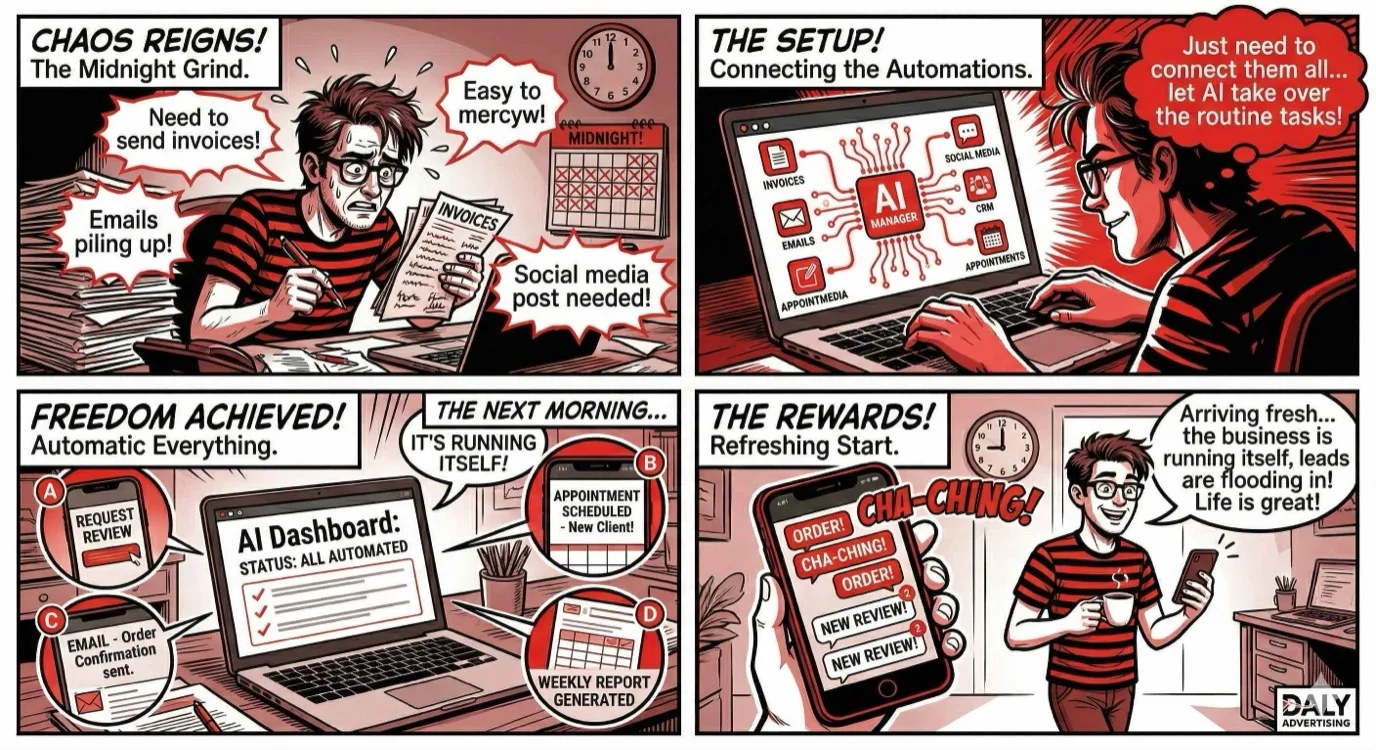
Your Competitors Are Already Using AI. Here's How to Catch Up.
In 2024, roughly 35% of small businesses reported using some form of AI in their operations. By the end of 2025, that number jumped to over 58%. Now in 2026, the question is no longer whether small businesses should adopt AI, but how quickly they can implement it before the gap between them and their competitors becomes insurmountable.
Here is the reality most small business owners face: you are doing the work of five people. You are answering phones, following up on leads, posting to social media, sending invoices, and trying to squeeze in actual client work somewhere between all of that. AI is not going to replace you. But it is going to replace the version of you that spends 20 hours a week on tasks that should take zero.
We work with small businesses every day through our AI automation services, and we have seen firsthand which automations deliver the fastest ROI. This is not a list of theoretical possibilities. These are 10 specific automations you can set up this week, most of them without writing a single line of code.
Automation 1: AI Customer Service Chatbot
The Problem It Solves
You are losing leads at 9 PM on a Tuesday because nobody is there to answer their question. According to HubSpot's 2025 data, 82% of consumers expect an immediate response to sales questions. "Immediate" means under 10 minutes. If your business closes at 5 PM, you are ignoring over half of your potential customers' inquiries until the next morning, and by then, they have already called your competitor.
How to Set It Up
Modern AI chatbots are not the clunky, scripted bots from five years ago. Tools like Tidio, Intercom, and Drift now use large language models to understand context and provide genuinely helpful answers. Here is the setup process:
- Feed it your FAQ content. Upload your most common questions and answers. Most businesses have 15 to 25 questions that account for 80% of all inquiries.
- Set escalation rules. When the bot cannot answer confidently, it should collect contact information and route to a human.
- Define business-specific boundaries. Tell the bot what it cannot do: no quoting prices above a threshold, no scheduling without checking availability, no making promises about timelines.
- Install on your website and social channels. Most platforms offer a simple JavaScript snippet or WordPress plugin.
Our AI chatbot service goes further by training custom models on your specific business data, but even an off-the-shelf solution will capture leads you are currently losing overnight.
Expected Impact
Businesses that implement 24/7 chat support typically see a 35 to 45% increase in lead capture from their website. For a business getting 1,000 monthly website visitors, that could mean 15 to 20 additional qualified leads per month.
Automation 2: Automated Lead Follow-Up in Under 60 Seconds
The Problem It Solves
Speed to lead is not a buzzword. It is the single biggest factor in whether a lead becomes a customer. MIT research found that contacting a lead within 5 minutes makes you 100x more likely to connect compared to waiting 30 minutes. Within 60 seconds? You are virtually guaranteed to be the first business they hear from.
How to Set It Up
This automation triggers a personalized text message and email the instant someone fills out a form on your website. Here is the stack:
- Form submission triggers a webhook to your CRM or automation platform (GoHighLevel, HubSpot, or even Zapier)
- AI generates a personalized response based on what the lead filled out: their name, service interest, and any details they provided
- SMS goes out within 30 seconds with something like: "Hey [Name], this is [Your Business]. Got your request about [service]. Quick question: is this for [common scenario A] or [common scenario B]?"
- Email follows within 60 seconds with more detail, social proof, and a calendar link
The key is personalization. Generic "Thanks for contacting us, we will be in touch" messages convert at roughly 2%. Personalized, specific follow-ups convert at 15 to 22%.
Expected Impact
We have seen businesses increase their lead-to-appointment rate by 40 to 60% simply by reducing response time to under one minute. If you are a service business closing $2,000 to $5,000 per job, even two extra conversions per month pays for this automation ten times over.
Automation 3: AI Email Marketing Sequences
The Problem It Solves
You have an email list. You know you should be sending to it. But writing emails every week takes time you do not have, and generic blasts get 15% open rates on a good day. AI-powered email sequences solve both problems: they write the content and personalize it for each recipient.
How to Set It Up
Platforms like Klaviyo, ActiveCampaign, and Mailchimp now include AI writing assistants. But the real power is in the sequencing logic:
- Welcome sequence (5 emails). Triggered when someone joins your list. Introduce your business, share your best case study, offer a low-friction next step.
- Nurture sequence (ongoing). AI selects content based on what each subscriber has engaged with. Clicked on a roofing article? They get more roofing content. Opened a pricing email? They get a case study about ROI.
- Re-engagement sequence (3 emails). Triggered when a subscriber has not opened in 60 days. AI writes subject lines optimized for re-opens.
- Post-purchase sequence. Automated review requests, upsells, and referral asks timed to when customers are happiest.
The AI component here is not just writing. It is analyzing open rates, click patterns, and conversion data to continuously improve what gets sent and when.
Expected Impact
Businesses using AI-personalized email sequences report 25 to 40% higher open rates and 2 to 3x higher click-through rates compared to manual campaigns. For ecommerce, this typically translates to 15 to 20% of total revenue coming from email.
Automation 4: Social Media Content Generation
The Problem It Solves
Posting consistently to social media is a full-time job. Most small business owners start strong in January, post three times the first week, twice the second week, and then disappear until they feel guilty enough to post again in March. Meanwhile, algorithms reward consistency above almost everything else.
How to Set It Up
This is not about having AI write generic posts. It is about building a content engine that requires 30 minutes of your time per week instead of 10 hours:
- Content pillars. Define 4 to 5 content categories (educational tips, behind the scenes, client results, industry news, personal brand).
- AI drafting. Use Claude, ChatGPT, or Jasper to generate 20 to 30 post drafts per week based on your pillars. Give it examples of your voice and past top-performing posts.
- Scheduling. Load approved posts into Buffer, Hootsuite, or Later. Schedule for optimal times based on your audience data.
- Repurposing. One blog post becomes 5 social posts, 3 stories, and 1 short-form video script. AI handles the reformatting.
The human element is still critical here. Review every post before it goes live. Add personal anecdotes. Edit anything that sounds generic. The AI gets you 80% of the way there; your 20% is what makes it authentic.
Expected Impact
Businesses that post 4 to 5 times per week (up from sporadic posting) typically see 2 to 3x growth in follower count over 6 months, and more importantly, a 20 to 35% increase in inbound inquiries from social channels.
Automation 5: Invoice and Payment Reminders
The Problem It Solves
The average small business has $84,000 in outstanding receivables at any given time. Late payments are not just annoying, they are an existential threat to cash flow. And the awkward "hey, just following up on that invoice" email is something nobody wants to send.
How to Set It Up
Most accounting platforms (QuickBooks, FreshBooks, Wave) have built-in automation for this. But AI takes it further:
- Auto-generate invoices when a project milestone is hit or a service is completed.
- Send the first reminder 3 days before the due date (friendly, informational).
- Send the second reminder on the due date (direct, includes payment link).
- Send escalation at 7 days overdue, 14 days, and 30 days, with increasingly firm language.
- AI personalizes tone based on client relationship history. A first-time client with a $500 invoice gets a different message than a long-term client with a $15,000 balance.
Expected Impact
Automated payment reminders reduce average days-to-payment by 8 to 14 days. For a business with $84,000 in receivables, getting paid two weeks faster improves cash flow by roughly $40,000 annually when you factor in the compounding effect on working capital.
Automation 6: Review Request Automation
The Problem It Solves
Reviews drive revenue. A Harvard Business School study found that a one-star increase on Yelp leads to a 5 to 9% increase in revenue. Google reviews directly impact your local search ranking. But asking for reviews manually is tedious, and most business owners only remember to ask when things are slow.
How to Set It Up
The best review automation systems work on a simple principle: ask at the right moment, make it effortless, and filter negative experiences before they go public.
- Trigger point. Send the review request 1 to 2 hours after service completion (when satisfaction is highest) or 3 days after product delivery (after they have used it).
- Two-step flow. First, ask "How was your experience?" with a simple thumbs up/down. Happy customers get directed to Google. Unhappy customers get routed to your internal feedback form.
- AI follow-up. If they clicked "happy" but did not leave a review within 24 hours, send a gentle reminder with a direct link to your Google Business Profile.
- Monitoring. AI scans new reviews across all platforms and alerts you to anything that needs a response.
Platforms like Podium, Birdeye, and NiceJob handle this end-to-end. If you are using a CRM like GoHighLevel through our CRM management services, this can be built directly into your customer journey.
Expected Impact
Businesses that implement automated review requests see an average increase of 4 to 8 new Google reviews per month. Over a year, that is 50 to 100 reviews, which for most local businesses means moving from page 2 to the top 3 of Google's local pack.
Automation 7: AI Ad Copy Testing
The Problem It Solves
Writing ad copy is half art, half science. Testing it is all science. The traditional approach, writing 3 to 4 variations and waiting weeks for data, is too slow. By the time you have statistical significance, you have spent hundreds or thousands on underperforming ads.
How to Set It Up
AI ad copy testing works in two phases:
- Generation phase. Feed your AI tool (we use a combination of Claude and custom models) your top-performing ads, your offer details, and your target audience. Generate 10 to 15 headline variations, 10 to 15 description variations, and 5 to 8 call-to-action variations.
- Testing phase. Load these into Google Ads or Meta Ads using responsive ad formats. The platform's algorithm does initial testing, and your AI layer analyzes the results to identify patterns: which emotional triggers work, which word counts perform best, which CTAs drive conversions vs. clicks.
The real advantage is iteration speed. Instead of testing 4 ads per month, you are testing 40. Instead of guessing why an ad works, AI identifies the specific language patterns driving performance.
Expected Impact
AI-assisted ad copy testing typically improves click-through rates by 15 to 30% and reduces cost per acquisition by 10 to 25% within the first 60 days. For a business spending $3,000 per month on ads, a 20% CPA improvement means an additional $600 per month in efficiency, or $7,200 per year.
Automation 8: Appointment Scheduling and Reminders
The Problem It Solves
No-shows cost service businesses thousands every month. The average no-show rate across industries is 15 to 20%. For a business that books 100 appointments per month at $200 per appointment, that is $3,000 to $4,000 in lost revenue, every single month.
How to Set It Up
This automation has two components: frictionless booking and intelligent reminders.
Booking:
- Embed a scheduling tool (Calendly, Acuity, or your CRM's built-in scheduler) on your website, in your email signature, and in your text follow-ups.
- AI assistant handles rescheduling requests via text: "Can't make it Thursday? Reply with a day that works and I'll find your next available slot."
- Sync with your calendar so double-bookings never happen.
Reminders:
- Send confirmation immediately after booking (email + SMS).
- Send reminder 24 hours before with a "Confirm / Reschedule / Cancel" option.
- Send day-of reminder 2 hours before with directions and what to bring.
- If they cancel, immediately offer the next 3 available slots to rebook.
The AI layer personalizes these reminders. A returning customer gets a casual "See you tomorrow!" while a first-time client gets detailed instructions and a warm welcome message.
Expected Impact
Automated reminders reduce no-show rates from 15 to 20% down to 3 to 5%. For that 100-appointment-per-month business, that is recovering $2,000 to $3,000 in monthly revenue with zero ongoing effort.
Automation 9: Inventory Alerts and Reordering
The Problem It Solves
Running out of stock costs you sales today and customer trust long-term. Overstocking ties up cash in inventory that is not moving. Both problems stem from the same root cause: manual inventory management cannot keep up with demand patterns.
How to Set It Up
This automation works for both physical products (retail, ecommerce) and service supplies (contractors, salons, medical offices):
- Connect your inventory system (Shopify, Square, or even a spreadsheet) to an AI monitoring tool.
- Set dynamic reorder points. Instead of a fixed "reorder when we hit 10 units," AI analyzes sales velocity, seasonal trends, and supplier lead times to calculate optimal reorder points that adjust automatically.
- Auto-generate purchase orders. When stock hits the reorder point, the system drafts a PO, sends it to your supplier, and notifies you for approval.
- Demand forecasting. AI predicts which products will sell faster in upcoming weeks based on historical data, weather, local events, and marketing campaigns you have planned.
Expected Impact
AI-driven inventory management reduces stockouts by 30 to 50% and overstock by 20 to 30%. For a retail business doing $500,000 in annual revenue, that translates to roughly $25,000 to $50,000 in recovered sales and reduced carrying costs.
Automation 10: Weekly Performance Report Generation
The Problem It Solves
You know you should be tracking your numbers. You have Google Analytics, ad accounts, a CRM, and social media dashboards. But pulling data from six different platforms and making sense of it takes hours. So you check sporadically, react to whatever feels urgent, and miss the trends that actually matter.
How to Set It Up
An automated weekly report pulls from all your data sources and delivers a single, readable summary every Monday morning:
- Data connections. Link Google Analytics, Google Ads, Meta Ads, your CRM, email platform, and social accounts to a reporting tool (Databox, AgencyAnalytics, or a custom setup through our AI workflow services).
- AI summary. Instead of just showing numbers, AI writes a plain-English summary: "Website traffic was up 12% this week, driven primarily by organic search. Your Google Ads CPA dropped from $34 to $28, likely due to the new ad copy variations. Three leads are stuck in the proposal stage for over 7 days and may need follow-up."
- Anomaly detection. AI flags anything unusual: traffic spikes, conversion drops, budget pacing issues, or leads that went cold.
- Recommended actions. Based on the data, AI suggests 2 to 3 specific actions for the week: "Increase budget on Campaign X by 15%," "Follow up with these 3 stale leads," "Your best-performing social post was about [topic], create more content like this."
Expected Impact
Business owners who review a structured weekly report make faster, better decisions. We have seen businesses improve overall marketing ROI by 15 to 25% simply because they caught underperforming campaigns earlier and doubled down on what was working, all without spending more.
How to Prioritize: Start With the Highest-ROI Automation
You do not need to implement all 10 at once. That would be overwhelming and counterproductive. Here is our recommended priority framework based on impact and ease of implementation:
| Priority | Automation | Setup Time | Monthly ROI Potential | Difficulty |
|---|---|---|---|---|
| 1 | Lead follow-up (60-second response) | 2 to 4 hours | $2,000 to $10,000+ | Easy |
| 2 | Appointment scheduling + reminders | 1 to 2 hours | $2,000 to $4,000 | Easy |
| 3 | Review request automation | 1 to 2 hours | $1,000 to $3,000 (indirect) | Easy |
| 4 | AI customer service chatbot | 4 to 8 hours | $1,500 to $5,000 | Medium |
| 5 | Invoice and payment reminders | 1 to 2 hours | $1,000 to $3,000 | Easy |
| 6 | AI email sequences | 4 to 8 hours | $1,000 to $5,000 | Medium |
| 7 | Social media content generation | 2 to 4 hours | $500 to $2,000 (indirect) | Easy |
| 8 | Weekly performance reports | 2 to 4 hours | $500 to $2,000 (indirect) | Medium |
| 9 | AI ad copy testing | 4 to 8 hours | $500 to $2,000 | Medium |
| 10 | Inventory alerts and reordering | 8 to 16 hours | $2,000 to $4,000 | Hard |
Start with number 1. Get it running this week. Then add one new automation every two weeks. Within three months, you will have the top 5 in place and be saving 15 to 20 hours per week.
Common Mistakes: What Not to Do With AI Automation
Mistake 1: Over-Automating Everything
Automation should handle repetitive, predictable tasks. It should not handle your most important client relationships, complex negotiations, or sensitive customer complaints. The businesses that get AI wrong are the ones that try to remove humans from every touchpoint. Customers can tell the difference, and they resent it.
A good rule: automate the first response, but have a human handle anything that requires empathy, judgment, or creativity.
Mistake 2: No Human Oversight
AI makes mistakes. It hallucinates facts, misreads context, and occasionally says something wildly inappropriate. Every automated system needs a human review layer, especially anything customer-facing. Set up alerts for edge cases, review AI-generated content before it goes live (at least for the first few months), and always give customers a way to reach a real person.
Mistake 3: Setting It and Forgetting It
Automation is not a one-time project. It requires ongoing optimization. Your chatbot's FAQ database needs updating as your business evolves. Your email sequences need refreshing every quarter. Your ad copy models need retraining on new performance data. Budget 2 to 4 hours per month for automation maintenance.
Mistake 4: Starting With the Hardest Automation
Do not build a custom AI inventory management system when you have not even set up automated appointment reminders. Start with the quick wins. Build confidence. Learn the tools. Then tackle the complex stuff.
Mistake 5: Ignoring Data Privacy
Every AI tool you use processes customer data. Make sure you understand where that data goes, who has access to it, and whether it complies with regulations like CCPA and GDPR. Read the terms of service. Use business-tier plans that offer data protection. Never feed sensitive customer information into free AI tools.
Cost Breakdown: Free Tools vs. Paid vs. Custom
One of the biggest misconceptions about AI for small business is that it requires a massive investment. Here is what it actually costs:
| Automation | Free Option | Paid Tool (Monthly) | Custom Build (One-Time) |
|---|---|---|---|
| Customer service chatbot | Tidio free tier | $29 to $99 | $2,000 to $5,000 |
| Lead follow-up | Zapier free (limited) | $49 to $149 | $1,500 to $3,000 |
| Email sequences | Mailchimp free tier | $29 to $199 | $1,000 to $3,000 |
| Social media content | ChatGPT free + Buffer free | $20 to $99 | N/A |
| Invoice reminders | Wave (free accounting) | $15 to $50 | N/A |
| Review requests | Manual with templates | $49 to $149 | $1,000 to $2,000 |
| Ad copy testing | ChatGPT free | $49 to $199 | $2,000 to $5,000 |
| Scheduling + reminders | Calendly free tier | $12 to $30 | N/A |
| Inventory alerts | Spreadsheet + Zapier | $49 to $199 | $3,000 to $8,000 |
| Performance reports | Google Looker Studio | $49 to $199 | $1,500 to $4,000 |
Budget recommendation for small businesses:
- Bootstrapping ($0 to $50/month): Use free tiers of Tidio, Mailchimp, Calendly, Buffer, and Wave. Supplement with ChatGPT for content generation. You will get 60% of the benefit at minimal cost.
- Growth stage ($200 to $500/month): Upgrade to paid tools that offer better AI features, integrations, and support. This covers the top 5 automations with room for optimization.
- Scaling ($500 to $1,500/month): All 10 automations running on professional-tier tools with advanced AI capabilities. Or work with an agency to build custom solutions tailored to your exact workflow.
The Bottom Line: 20+ Hours Saved Per Week
Here is what a fully automated small business looks like: leads get instant follow-up while you sleep, appointments book themselves, invoices go out and get paid without a single reminder from you, reviews accumulate on autopilot, your social media stays active even when you are heads-down on client work, and every Monday morning you get a clear report telling you exactly what to focus on.
That is not a fantasy. That is what we help small businesses build every month through our AI automation services. The businesses that implement even half of these automations consistently report saving 20 or more hours per week, hours that go back into serving clients, developing new products, or simply having a life outside of work.
The technology is here. The tools are affordable. The only question is how long you wait while your competitors get further ahead.
Ready to automate your business? We help small businesses implement AI automations that save 20+ hours per week. Request a free audit and we will identify the 3 highest-ROI automations for your specific business.