 DALY
DALY 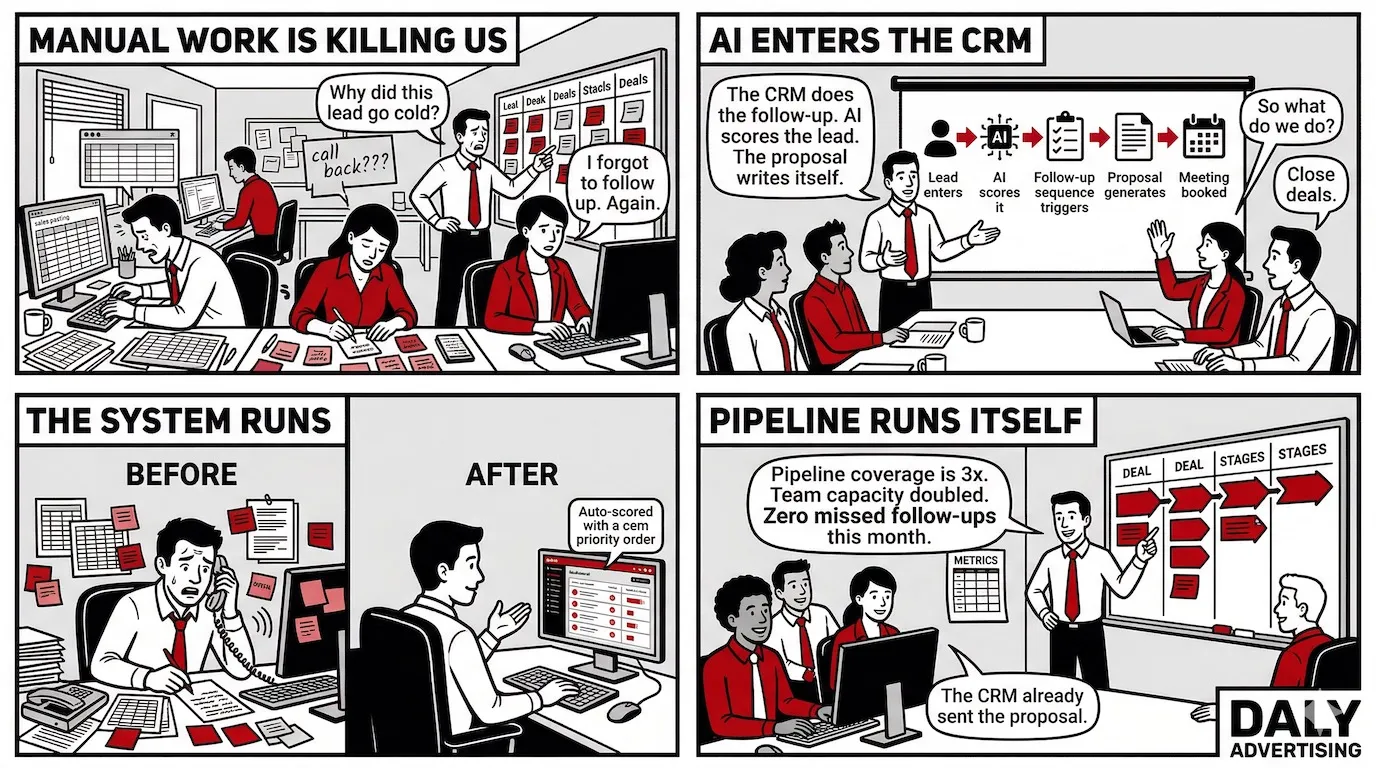
Your sales team is spending 72% of their week not selling. That's not a motivational talking point - it's from Salesforce's 2023 State of Sales report, and it means the average $80,000-per-year rep is generating roughly $57,600 in labor cost before they've touched a single prospect. Multiply that across five reps and you're burning $288,000 a year on data entry, scheduling, and manual follow-up.
AI sales automation fixes this by removing the administrative layer entirely. Not by cutting headcount - by giving your reps their time back. The companies doing this well are reporting 50% more leads and appointments generated, response times that drop from 47 hours to under 5 minutes, and close rates that improve because reps are actually selling instead of updating CRM fields. The global market for AI in sales is projected to hit $4.5 billion by 2028 because the ROI isn't theoretical anymore.
But most of what you'll read on this topic is written for someone evaluating a SaaS subscription. This article is written for you - the business owner or sales leader who needs to know what it actually takes to deploy this, what it costs when you're honest about all the pieces, and what a properly built system looks like versus a tool stack you bought and never fully used. We build these systems for clients at Daly. This is what we've learned.
What Is AI Sales Automation (and What It Actually Does to Your Pipeline)
Sales reps spend only 28% of their week actually selling. The other 72% goes to data entry, manual follow-up, scheduling, and CRM updates - work that generates zero revenue and burns out your best people. That number comes from Salesforce's 2023 State of Sales report, and it hasn't improved year over year. It's gotten worse.
AI sales automation is the fix. But it's not the same thing as the email sequences you set up in HubSpot six years ago. Those were if/then rules - rigid, brittle, and blind to what a prospect actually did. AI automation reads intent signals, scores behavior in real time, and adapts what it does next based on how a lead responds. The difference isn't incremental. It's architectural.
The system runs on three layers. First: data capture - pulling contact data, firmographics, job changes, and buying intent signals from across the web without anyone touching a spreadsheet. Second: decision-making - the AI prioritizes leads, recommends actions, and routes opportunities based on likelihood to close, not whoever happens to check their inbox first. Third: autonomous action - outreach goes out, follow-ups trigger, CRM records update, and deal stages advance. All without a human in the loop.
Here's what that means for your pipeline in practice. Prospecting, outreach, follow-up cadences, pipeline forecasting, and CRM hygiene all become automated processes. What stays human is the stuff that actually requires judgment: complex negotiations, executive relationship-building, and high-stakes closes where trust has to be earned in the room. The market understands this shift - global AI in sales is projected to reach $4.5 billion by 2028, growing at 28.4% CAGR. That's not speculative spend. That's companies buying back their reps' time.
The version from 2019 sent email sequence step 2 if someone opened step 1. This version notices that a prospect visited your pricing page twice, promoted to VP of Operations last week, and uses Salesforce - and triggers a different sequence entirely, with copy written around that specific context. That's not automation. That's a system that thinks.
The 5 Parts of Your Sales Process AI Can Automate Right Now
Most teams automate one thing - usually email sequences - and call it done. That's leaving most of the value on the table. There are five distinct stages in a standard sales process, and each one has a manual version that costs you time and an AI-automated version that runs without you. Here's what each looks like side by side.
| Sales Stage | Manual Process | AI-Automated Process | Time Saved / Outcome |
|---|---|---|---|
| Lead Capture & Enrichment | Rep manually researches company, finds contact info, fills CRM fields | AI pulls firmographics, intent data, and contact details into CRM on lead creation | 45-90 min per lead eliminated |
| Lead Scoring & Routing | SDR manager reviews leads daily and assigns by gut feel or round-robin | AI scores by ICP fit + behavioral signals, routes to the right rep automatically | Routing lag cut from 24 hrs to under 2 min |
| Outreach Sequences | Rep writes individual emails or copies templates, manually schedules LinkedIn touches | AI generates personalized multi-channel sequences and deploys them at optimal send times | Reply rates 18-24% vs 5-10% baseline |
| Follow-Up & Re-Engagement | Rep relies on calendar reminders, forgets 40% of follow-ups under high volume | Follow-up triggers fire based on prospect behavior: email opened, link clicked, page visited | 47-hr avg response time drops to under 5 min |
| CRM Updates & Pipeline Hygiene | Rep logs calls, updates deal stages, and notes manually after each interaction | AI reads email threads and call transcripts, updates CRM fields and deal stages automatically | 4-6 hrs/week per rep recovered |
The follow-up stat is the one that moves most business owners. The average inbound lead sits for 47 hours before a rep responds. Get that response time under 5 minutes and conversion likelihood increases 9x. That's not a marginal improvement - it's the difference between a deal and a dead lead. And it doesn't require hiring anyone. It requires a properly configured automation layer.
Lead enrichment is equally underrated. When a contact fills out a form, AI can pull their LinkedIn role, company size, tech stack, recent funding news, and buying intent signals before the rep even knows the lead exists. The rep opens the CRM record and finds a fully loaded prospect profile. No research tab-hopping required.
The McKinsey data backs the aggregate effect: companies using AI in sales report a 50% increase in leads and appointments generated. CAC drops by up to 40% when AI automation is integrated properly with CRM workflows. Those aren't tool-vendor numbers - they're outcomes from companies that built the full stack, not just turned on one feature.
This is exactly what good sales workflow automation looks like when all five stages are connected - leads flow in, get scored, trigger personalized outreach, re-engage based on behavior, and update the CRM without anyone manually touching the record. The reps just show up to the conversations worth having.
Best AI Sales Automation Tools in 2026: Feature Breakdown and Honest Verdicts
79% of high-performing sales teams use AI or automation tools. Only 54% of underperforming teams do. The gap isn't talent - it's infrastructure. But choosing the wrong tool wastes more time than it saves, because every tool requires configuration, integration, and ongoing management. Here's what's actually worth your attention in 2026.
| Tool | Primary Function | Best For | Price Range | Verdict |
|---|---|---|---|---|
| Apollo.io | Prospecting + sequencing | SMB to mid-market outbound teams | $49-$99/user/mo | Best all-in-one starting point. 275M+ contacts with intent signals. Sequences built in. |
| HubSpot AI (Breeze) | CRM-native AI automation | Teams already in HubSpot ecosystem | $90-$150/user/mo (Sales Hub) | Strongest if your CRM is already HubSpot. Don't migrate to HubSpot just for this. |
| Salesforce Einstein | Forecasting + activity capture | Enterprise teams (100+ seat orgs) | $50+/user/mo add-on | Powerful forecasting engine, but requires clean CRM data and dedicated admin to get value. |
| Clay | Data enrichment + personalization | Outbound teams doing high-volume prospecting | $149-$800/mo | Best-in-class for enrichment. Pulls from 75+ sources per row. Pairs with Apollo or Instantly for sending. |
| Instantly.ai | Cold email infrastructure | Agencies and teams sending high cold email volume | $37-$358/mo | Best for deliverability at scale. Not a CRM or enrichment tool - it's the sending layer only. |
Apollo.io
Apollo is the default starting point for most outbound teams because it handles prospecting and sequencing in one platform. The database covers 275M+ contacts with job title, company size, tech stack, and intent signals. You can build a target list, enrich it, and launch a sequence without leaving the app. The limitation: Apollo's email deliverability degrades at high volume unless you manage sending infrastructure carefully.
HubSpot AI (Breeze)
HubSpot's Breeze AI layer sits on top of its existing Sales Hub and handles prospecting, email drafting, and pipeline summarization. If your team already lives in HubSpot, this is the lowest-friction upgrade. If you're not on HubSpot, don't migrate to it just to use Breeze. The switching costs aren't worth it.
Salesforce Einstein
Einstein is an enterprise tool that earns its price at scale. Its forecasting engine reads pipeline activity, call logs, and email sentiment to predict deal outcomes with accuracy most sales managers can't match manually. But it requires clean data to function. Give it a dirty CRM and it makes confident bad predictions. That's worse than no forecast at all.
Clay
Clay is the enrichment layer that makes every other tool work better. A single Clay row can pull from 75+ data sources simultaneously - LinkedIn activity, firmographics, technographics, news mentions, funding rounds. You use Clay to build hyper-personalized outreach context, then pass those records to Apollo or Instantly for sending. It's not a standalone tool. It's the intelligence layer.
Instantly.ai
Instantly handles cold email infrastructure: inbox rotation, warmup, deliverability monitoring, and send scheduling. At high volume (500+ emails/day), deliverability is what separates results from spam folders. Instantly solves that specific problem and nothing else. Use it as the sending engine, not the strategy.
The real question isn't which tool to pick. It's whether you have the internal capacity to configure, integrate, and maintain a multi-tool stack. Most teams don't. That's where AI agents for sales change the model entirely - instead of five disconnected tools you manage, you get a connected system someone else runs.
What AI Sales Automation Actually Costs (And What You Get for It)
Most articles give you a tool pricing table and call it a cost breakdown. That's not what this costs. The tool licenses are the smallest line item. Here's the actual number most businesses are ignoring.
Take a 5-person sales team. Average rep salary: $80,000 per year. Salesforce data says 72% of their week goes to non-selling tasks. Do the math: 5 reps x $80,000 x 0.72 = $288,000 per year in labor that isn't generating revenue. That's not a software cost. That's what you're already spending on the problem AI automation is designed to solve.
What a Real 5-Person Team Stack Costs Per Month
| Tool | Function | Monthly Cost (5 users) | Notes |
|---|---|---|---|
| Apollo.io (Basic) | Prospecting + sequencing | $245/mo | $49/user/mo billed annually |
| HubSpot Sales Hub (Starter) | CRM + pipeline management | $450/mo | $90/user/mo, billed annually |
| Clay (Starter) | Lead enrichment | $149/mo | Flat rate, not per user |
| Instantly.ai (Growth) | Cold email infrastructure | $97/mo | Flat rate for up to 5 inboxes |
| Total Tool Stack | ~$941/mo | Before integration and setup |
$941 per month is the number most vendors show you. What they don't show you: 20 to 40 hours of initial CRM data cleaning before AI can run on it, integration development to connect tools that don't talk natively, onboarding time per rep (typically 2 to 4 weeks before adoption sticks), and ongoing maintenance when sequences break or data goes stale. A realistic first-year total for a DIY deployment on a 5-person team lands between $25,000 and $40,000 when you include that hidden labor.
An agency-built deployment runs higher upfront and lower over time. You pay for speed, precision, and someone else absorbing the integration complexity. Time-to-value for a properly configured agency build: 4 to 6 weeks. DIY: 3 to 6 months, if it works at all on the first pass.
The ROI framework is simpler than most people make it. Start with your current close rate, average deal size, and deals per rep per month. Calculate what a 20% increase in selling time does to that number. A rep currently closing 4 deals per month at $15,000 average deal size produces $60,000/month. Give that rep back 20% of their week and - if the sales activity scales proportionally - you're looking at an additional $12,000 to $18,000 per rep per month. Against a $941 tool stack, that math closes itself inside the first 30 days.
CAC reduction follows the same logic. When AI automation is integrated properly with CRM workflows, customer acquisition cost drops by up to 40%. For a business spending $50,000 per month on acquisition, that's $20,000 back - every month. The question isn't whether this pays off. It's whether your current setup can actually capture the payoff.
The Part Nobody Talks About: What It Actually Takes to Deploy AI Sales Automation
Every vendor demo makes this look easy. Connect your CRM, flip a few switches, watch the leads roll in. What they don't show you is the three weeks you spend cleaning seven years of garbage data before any of it works.
Here's the uncomfortable truth: 30 to 40% of CRM records have incomplete or inaccurate contact data. Missing phone numbers, outdated job titles, duplicate records, deal stages that nobody defined consistently. Feed that into an AI system and you don't get smart automation - you get fast, confident, wrong decisions.
Start With a CRM Readiness Audit
Before you touch Apollo, Clay, or any AI layer, run a data audit on four things: contact completeness (email + phone + company), deal stage definitions (are they actually consistent across reps?), activity logging (are calls and emails being captured, or just living in inboxes?), and duplicate records. In every audit we run, duplicate contacts alone account for 15 to 25% of records. AI doesn't know which one is current - it picks one.
You need contact completeness above 80% before AI scoring is meaningful. Below that, the model is filling gaps with assumptions.
Map the Workflow Before You Touch Any Tool
Write down exactly what happens to a lead from the moment it enters your pipeline to the moment it closes or dies. Every manual step. Every human decision. Every place someone has to remember to do something. That document is what you're automating. If you skip this step, you automate a broken process and just make it break faster.
This is where most DIY deployments stall. Teams jump to building sequences in Instantly.ai before they've defined what "qualified" actually means. The tool can't answer that question for you.
Change Management Is the Actual Hard Part
Reps resist automation for one reason: they think it's going to replace them. The 71% who say they hate data entry are the same people who get defensive when you try to automate it, because the data entry makes them feel busy. Busy feels safe.
The fix is framing. Show reps the math - if automation handles 4 hours of admin per day, that's 20 hours per week they get back to actually sell. Then tie their quota to it. Quota accountability converts skeptics faster than any training session.
Timeline Reality: Week by Week
A proper deployment is 4 to 6 weeks minimum for an agency-built system. DIY averages 3 to 6 months, because most of that time is troubleshooting integrations nobody documented. Here's what a realistic 6-week build looks like:
| Week | Activity | Output | Owner |
|---|---|---|---|
| Week 1 | CRM audit + data cleaning | Clean contact list, defined deal stages | Agency + client ops |
| Week 2 | Workflow mapping + ICP definition | Documented process map, scoring criteria | Agency + sales lead |
| Week 3 | Tool integration (CRM + enrichment + email) | Connected stack, data flowing between tools | Agency |
| Week 4 | Sequence build + copy | Outreach cadences built and tested in sandbox | Agency |
| Week 5 | Pilot launch (10% of list) | Real reply rate and deliverability data | Agency + rep |
| Week 6 | Full rollout + KPI baseline | Live system with reporting dashboard | Agency |
The integration complexity alone - getting your CRM, email inbox, LinkedIn outreach tool, and enrichment source to share data cleanly - takes a week if you know what you're doing. If you don't, it takes a month. The tools don't come pre-wired to each other.
Speed to value is a function of how ready your data is. The teams that go live in 4 weeks already had clean CRMs. The teams that take 6 months started with 40,000 contacts and no stage definitions. Know which one you are before you start.
AI Sales Automation as Part of a Larger AI Agent System
Most articles on AI sales automation treat it as a standalone tool. Pick a platform, set up sequences, done. That thinking is why most implementations underperform within 90 days - not because the tools are bad, but because a single automated layer dropped into a manual system creates friction at every handoff.
The teams getting 50% more pipeline from automation aren't using better tools. They're using connected systems.
Why Isolated Automation Underperforms
Here's what siloed automation looks like in practice: your SDR uses Apollo to send outreach sequences. A prospect replies with interest. Apollo logs the reply, but your CRM doesn't update automatically. The SDR has to manually move the deal stage, manually notify the AE, and manually create a follow-up task. You automated the first touch and left everything after it to human memory. That's not a system - it's a fancy email tool.
Connected AI infrastructure means the reply triggers a CRM stage update, routes the lead to the right AE based on territory rules, generates a personalized follow-up brief, and books a meeting on the AE's calendar. No human input required until the AE shows up for the call.
AI Agents Handle the Full Sequence End-to-End
AI agents aren't the same as automation rules. A rule says "if reply received, move to stage 2." An agent says "read the reply, classify the intent, decide the next action, execute it, and log what happened." That's a different capability. It's the difference between a conveyor belt and a decision-maker.
In a properly built system, an AI agent for sales can take a prospect from first identification to meeting booked without a human touching it - as long as the prospect qualifies. The agent handles the research, the outreach, the follow-up, the objection handling up to a defined threshold, and the calendar booking. The rep enters when there's a warm human ready to buy.
Connecting Sales and Marketing Without Data Loss
The lead handoff between marketing and sales is where revenue disappears. Marketing nurtures a prospect for three weeks, scores them as qualified, and passes them to sales - who has no visibility into what content they read, what ads they clicked, or what emails they opened. The rep starts from zero. The prospect gets the same questions they already answered.
A connected system passes the full behavioral record with the lead. Deal context, engagement history, company signals, and the outreach that already landed - all in the CRM record before the rep ever opens it.
The Unified System Architecture
The architecture that actually works has four layers: CRM as the single source of truth, AI agents handling autonomous sequences, workflow automation managing routing and task creation, and AI-generated sales content producing personalized outreach at scale. Each layer feeds the next. Remove one and the others lose context.
This is the difference between buying a stack of tools and building a system. Tools are sold separately. Systems are designed together. The 50% pipeline increase McKinsey attributes to connected AI systems isn't coming from better cold emails - it's coming from eliminating every data gap between the first touch and the close.
How to Build an Automated Sales Pipeline: A Step-by-Step Implementation Framework
The six steps below aren't theoretical. They're the sequence we follow when building sales automation systems for clients, ordered specifically to prevent the failure modes that kill most DIY deployments.
Step 1: Audit Your Current Pipeline for Manual Touchpoints
Open your CRM and trace one deal from lead creation to close. Write down every step that required a human to do something manually - move a stage, send a follow-up, create a task, log a call. That list is your automation roadmap. Most teams find 12 to 18 manual touchpoints in a process they thought was "pretty automated already."
Step 2: Define Your ICP With Data, Not Gut Feeling
Pull your last 50 closed-won deals and identify what they have in common: company size, industry, tech stack, hiring signals, growth stage, geography. That's your actual ICP, not the one in the deck from 2021. AI scoring only works when it knows what "good" looks like. If you feed it a vague ICP, it scores everything as mediocre.
Step 3: Choose Your Automation Layer
Don't try to automate everything at once. Pick one layer first - prospecting, outreach, follow-up, or forecasting - and prove it works before adding the next. Outreach automation typically delivers the fastest ROI because it's the most time-intensive manual task. Start there.
Step 4: Connect Your CRM as the Single Source of Truth
Every tool in your stack needs to write back to your CRM. Not just read from it - write back. If Apollo sends an email and it doesn't log in HubSpot, that activity is invisible to every downstream process. Set up bidirectional sync before you build a single sequence.
Step 5: Build and Test in Isolation Before Full Deployment
Run your first sequence on 50 contacts, not 5,000. Check deliverability, reply rates, and CRM logging before scaling. A deliverability issue at 50 contacts costs you one domain warm-up cycle. The same issue at 5,000 contacts costs you your sending domain.
Step 6: Set KPIs Before Launch
Baseline cold outreach reply rates run 5 to 10%. AI-personalized sequences average 18 to 24%. If you're not tracking against a baseline, you can't prove the system is working. Companies with automated follow-up close deals 23% faster than those relying on manual touchpoints. Set your benchmarks before launch so you're measuring progress, not guessing at it.
Priority Matrix: Where to Automate First
| Quadrant | Effort | Impact | Automation Tasks |
|---|---|---|---|
| Do First | Low | High | Follow-up sequences, lead routing, CRM stage updates from email activity |
| Schedule Next | High | High | Full prospecting infrastructure, AI-personalized outreach at scale, connected lead handoff |
| Delegate or Skip | Low | Low | Meeting note transcription, basic task reminders, calendar sync |
| Avoid | High | Low | Automating complex negotiation comms, over-engineering lead scoring models before data quality is clean |
The "Do First" quadrant closes the biggest gap the fastest. Follow-up sequences alone - triggering based on email opens, link clicks, and time elapsed - recover an estimated 20 to 30% of leads that go cold simply because a rep forgot to follow up. That's not a technology problem. It's a memory problem. And memory is exactly what automation replaces.
Want us to map your current pipeline? We'll identify every manual touchpoint, build your automation roadmap, and tell you exactly what to deploy first. Request a pipeline audit.
Can AI Replace Sales Reps? The Honest Answer Most Vendors Won't Give You
Every vendor selling AI sales tools has an incentive to say yes. Every sales rep has an incentive to say no. The actual answer is more specific - and more useful - than either camp admits.
What AI Can Fully Replace
The tasks reps hate most are also the ones AI handles best. Data entry tops the list at 71% of reps citing it as their biggest time sink. Manual follow-up is second at 67%. Scheduling comes in at 58%. All three are fully automatable today. None of them require human judgment - they require consistency and timing, which is exactly what AI does well.
Lead qualification at the top of the funnel is also replaceable. An AI agent can research a company, score it against your ICP, determine if the contact fits your buyer profile, and route it to the right rep - all before a human ever looks at it.
What AI Cannot Replace
Trust is not a workflow. A CFO deciding whether to write a $200,000 check is making an emotional decision backed by logic - not the other way around. Complex objection handling, strategic account management, and multi-stakeholder enterprise deals require a human who can read the room, adjust in real time, and build credibility over months. AI can support those conversations with prep briefs and context. It can't have them.
The Actual Outcome: Fewer Reps Doing More
The realistic outcome isn't zero reps. It's a 5-rep team producing what used to require 8. With automation handling prospecting, enrichment, initial outreach, follow-up sequences, and CRM updates, each rep's productive selling time can increase from 28% of their week to closer to 60 to 65%. Same salary, double the output. That's the math that makes this worth doing.
79% of high-performing sales teams already use AI. They're not running leaner by eliminating headcount - they're running faster by eliminating friction.
The Risk of Over-Automating
There's a ceiling. Teams that automate every single touchpoint - including the ones that need a human voice - see reply rates collapse below 2%. Prospects are sophisticated enough to recognize a template, even a personalized one. If your sequence runs for 8 touches without a single moment of genuine human contact, the response rate reflects that.
The right ratio depends on deal size. For transactional sales under $5,000, 80% automation is appropriate. For mid-market deals between $10,000 and $50,000, closer to 60%. For enterprise, AI handles research and prep while humans own every touchpoint that matters.
| Team Size | Deal Size | Recommended Automation % | Human Focus |
|---|---|---|---|
| 1-3 reps | Under $5k | 80-85% | Closing calls only |
| 4-10 reps | $5k - $25k | 65-75% | Discovery + close |
| 10+ reps | $25k - $100k | 50-60% | Full sales cycle after qualification |
| Enterprise team | Over $100k | 30-40% | Research, prep, admin only |
The reps who thrive in an AI-augmented team are the ones who were always good at the human part of sales. The automation doesn't hide weak reps - it exposes them faster, because the excuse of "I didn't have time to follow up" is gone.
Frequently Asked Questions About AI Sales Automation
What is AI sales automation?
AI sales automation uses machine learning and behavioral data to handle repeatable sales tasks without human input - including lead scoring, outreach sequencing, follow-up timing, CRM updates, and pipeline forecasting. Unlike rule-based automation, AI adapts based on prospect behavior and intent signals rather than following a fixed if-then script.
How does AI improve the sales process?
AI improves the sales process by eliminating the 72% of rep time currently spent on non-selling tasks. It responds to inbound leads in under 5 minutes, scores and routes prospects automatically, personalizes outreach at scale, and updates CRM records from email and call activity - so reps focus on conversations that close, not admin work.
What are the best AI tools for sales automation?
The strongest options in 2026 are Apollo.io for prospecting and sequencing, Clay for data enrichment and hyper-personalized outreach, HubSpot Breeze for CRM-native teams, Salesforce Einstein for enterprise forecasting, and Instantly.ai for cold email deliverability. The right choice depends on your existing stack - most teams need two to three of these working together, not one platform doing everything.
Can AI replace sales representatives?
No - but it can make five reps produce what eight used to. AI reliably handles data entry, scheduling, lead qualification, and follow-up sequences. It cannot handle complex objections, strategic account management, or trust-building in high-stakes deals. The outcome is fewer reps doing more revenue-generating work, not a headcount-zero scenario.
How much does AI sales automation cost?
A realistic tool stack for a five-person team runs $500 to $1,500 per month - Apollo.io starts at $49 per user, HubSpot Sales Hub at $90 per user, Clay at $149 base. Add integration, data cleanup, and onboarding and the true first-year cost is higher. Agency-built deployments typically run $3,000 to $8,000 to implement, then ongoing retainer.
The Priority Matrix: Where to Start With AI Sales Automation
Not every automation is worth the same effort. After working through implementations across multiple industries, here's how the core actions stack up by impact versus effort.
| Action | Effort | Impact | Start Here? |
|---|---|---|---|
| Automate inbound lead response to under 5 minutes | Low | High | Yes - week one |
| AI lead scoring and routing to reps | Low | High | Yes - week one |
| CRM auto-update from email and call activity | Medium | High | Yes - week two |
| AI-personalized outreach sequences | Medium | High | After CRM is clean |
| Behavioral re-engagement automation | Medium | Medium | Phase two |
| Machine learning pipeline forecasting | High | Medium | After 90 days of clean data |
| Full AI agent outreach-to-booking sequence | High | Very High | With professional deployment |
Start at the top of that table. Automated inbound response and lead routing require the least setup and produce the fastest visible ROI. Don't attempt pipeline forecasting or full agent sequences until you have 90 days of clean, consistent CRM data - AI makes decisions based on what's in your database, and garbage in is still garbage out.
The bigger point is this: AI sales automation isn't a product you buy and turn on. It's a system you build, and it performs exactly as well as the architecture underneath it. The teams pulling 50% more pipeline from the same headcount aren't using better tools than you - they built the system correctly the first time. That's the difference between a tool stack that collects dust and one that actually closes deals.
Ready to stop leaving $288,000 a year on the table? We audit your current sales process, identify every automation opportunity, and build the system for you - not a generic tool recommendation, an actual deployment. Request your free sales automation audit and we'll show you exactly where your pipeline is leaking.