 DALY
DALY 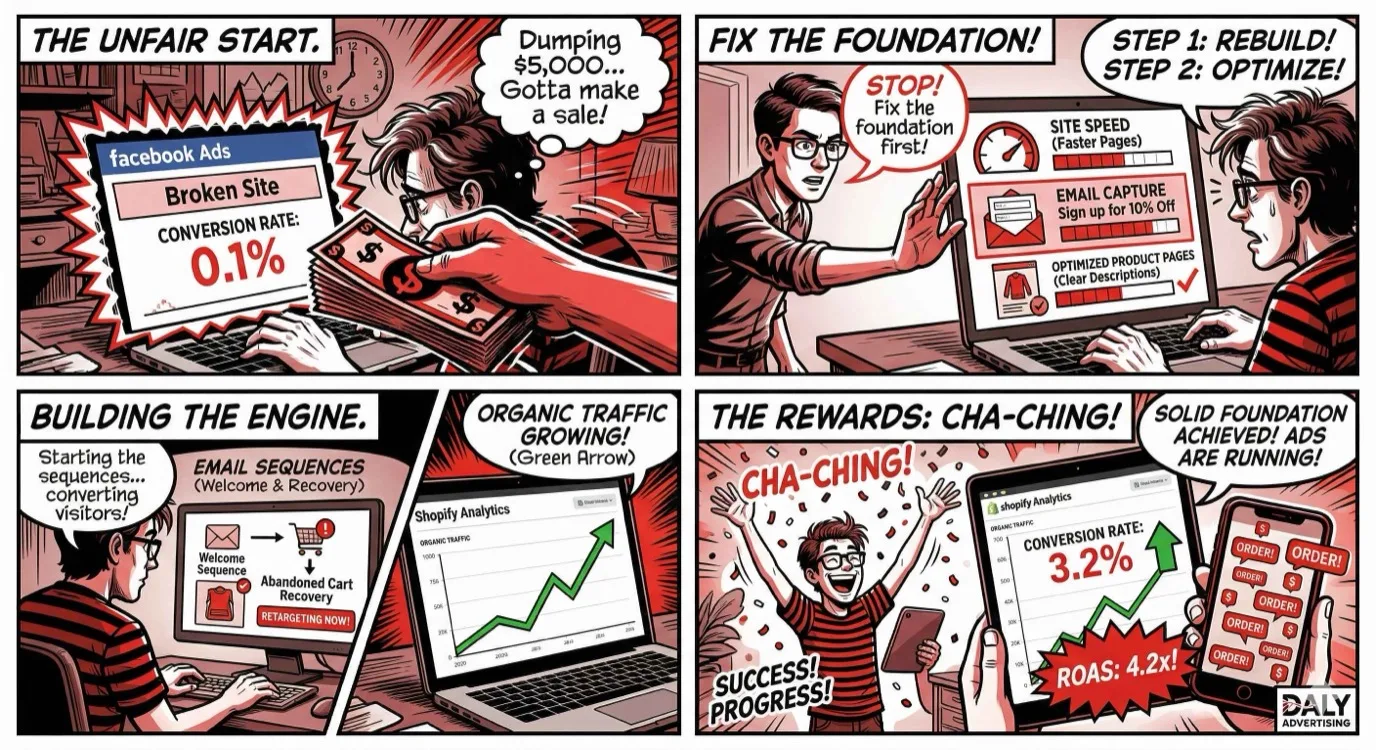
Most Shopify stores fail at paid advertising because they skip everything that makes paid advertising work. They launch a store, throw $500 at Facebook Ads, get a 0.5x return, and conclude that "ads don't work for my product." The ads were not the problem. The foundation was.
Before you spend a dollar on ads, there are five steps that determine whether that dollar comes back as $3 or disappears into the void. Product positioning, store optimization, email capture, organic channels, and analytics setup. Skip any one of them and your paid campaigns will underperform, guaranteed.
This guide walks through exactly what to build before turning on ads, in the order you should build it. If you already have a Shopify store running ads with mediocre results, this framework will show you what is missing and how to fix it.
Why Most Shopify Stores Fail at Paid Ads
The failure pattern is remarkably consistent. A store owner sees a competitor running Facebook Ads, assumes that is the path to revenue, launches a campaign with a $20/day budget, sends traffic to a product page with three photos and a paragraph of copy, and wonders why nobody is buying.
The issue is not the platform, the targeting, or even the creative. It is that the store itself is not built to convert cold traffic. Paid advertising sends strangers to your store. Those strangers have no reason to trust you, no relationship with your brand, and dozens of alternatives one click away. If your store does not immediately answer "Why should I buy this from you?" the click is wasted.
Here is the uncomfortable truth: the average Shopify store conversion rate is 1.4%. The top 20% of stores convert at 3.2% or higher. That means the best stores turn paid traffic into customers at more than double the rate of average stores, on the same platforms, with the same ad types. The difference is not the ads. It is everything behind the ads.
Step 1: Product Positioning and Messaging
Before you optimize a single page, you need to answer three questions with absolute clarity. Every decision you make about your store, your content, and your ads flows from these answers.
Who Is Your Customer?
Not "everyone" or "women aged 25 to 45." A specific person with a specific problem, lifestyle, or aspiration. The more narrowly you define your ideal customer, the more effectively you can speak to them. A skincare brand targeting "women who want better skin" is competing with 10,000 other stores. A skincare brand targeting "women in their 30s dealing with hormonal acne who are skeptical of harsh chemicals" has a clear, defensible position.
Build a customer profile that includes: age range, income level, lifestyle, what they are frustrated with, what they have tried before, where they spend time online, and what would make them tell a friend about your product.
Why Do They Buy?
People buy products for reasons that are often different from what the seller assumes. Read your reviews (and your competitors' reviews) to find the language customers actually use. Look for patterns in what they praise and what they complain about. The gap between what your competitors promise and what their customers actually experience is your opportunity.
Common purchase drivers for Shopify products include: solving a specific problem, saving time, looking or feeling a certain way, signaling identity or values, and getting better quality than what is available locally. Your messaging should speak to the actual purchase driver, not the features of the product.
What Makes You Different?
If a customer is comparing your product to three alternatives, what makes yours the right choice? This is your unique value proposition (UVP), and it needs to be immediately visible on your site. "High-quality products" and "great customer service" are not differentiators because everyone claims them.
Effective differentiators include: proprietary ingredients or materials, a unique manufacturing process, a specific use case you serve better than anyone, a guarantee competitors will not match, price transparency that others avoid, or a founder story that creates genuine connection.
Competitor Analysis
Study your top 5 to 10 competitors thoroughly. What do they charge? What does their product page look like? What do their reviews say? What are their customers complaining about? Use tools like the Facebook Ad Library to see what ads they are running and what creative formats they are testing.
The goal is not to copy them. It is to find the gaps. Maybe every competitor uses the same sterile product photography. Maybe none of them offer a satisfaction guarantee. Maybe their review responses are robotic or nonexistent. Every gap is a positioning opportunity.
Step 2: Store Optimization (Before Ads)
Your store is your conversion engine. If it is slow, confusing, or untrustworthy, no amount of ad spend will overcome those problems. Here is what needs to be in place before you send paid traffic.
Site Speed: Target Under 2 Seconds
Every additional second of load time reduces conversions by 7% on average. A Shopify store that loads in 4 seconds instead of 2 seconds is losing roughly 14% of potential customers before they even see a product. On mobile, where over 65% of Shopify traffic comes from, slow loading is even more punishing.
Common speed killers on Shopify stores include: uncompressed images (the number one issue), too many apps running scripts on every page load, custom fonts loading from external servers, excessive use of carousels and sliders, and bloated themes with features you are not using.
Audit your store speed using Google PageSpeed Insights and Shopify's built-in speed report. Focus on these high-impact fixes first:
- Compress all product images to under 200KB without visible quality loss (use WebP format)
- Remove or replace any app that adds more than 200ms to load time
- Lazy-load images below the fold
- Minimize custom code and third-party scripts
- Use Shopify's built-in CDN for all assets
Mobile Experience: 65%+ of Traffic
Over 65% of Shopify traffic and over 55% of Shopify revenue comes from mobile devices. If your store looks great on desktop but is clunky on mobile, you are losing the majority of your potential customers.
Test your entire purchase flow on a phone. Not just the homepage, but the product page, the cart, and the checkout. Look for: text that is too small to read, buttons that are too small to tap, images that take too long to load, pop-ups that are difficult to close, and forms that are painful to fill out on a small screen.
The mobile checkout flow is especially critical. Shopify's native checkout is already optimized, but many stores add friction by requiring account creation, adding unnecessary form fields, or failing to offer mobile payment options like Apple Pay and Google Pay. Every additional step in the mobile checkout costs you 5% to 10% of conversions.
Product Pages: Where Sales Happen
Your product page is the most important page on your store. It is where the buying decision is made. A product page that converts at 4% instead of 2% doubles your revenue on the same traffic. Here is what a high-converting Shopify product page includes:
Photography: Minimum 5 to 8 images per product. Include lifestyle shots (product in use), detail shots (texture, quality, size context), scale shots (product next to a common object for size reference), and packaging shots. Video adds another 20% to 30% lift in conversion rate, even a simple 15-second clip showing the product from multiple angles.
Product description: Lead with the benefit, not the feature. "Keeps your coffee hot for 12 hours" outperforms "Double-wall vacuum insulation" as a headline. Follow with specifics: dimensions, materials, care instructions, and what is included. Use bullet points for scanners and paragraphs for readers. Both types of buyers visit your page.
Social proof: Reviews displayed directly on the product page are the single most influential conversion element after price. Use a reviews app that displays star ratings, written reviews, and customer photos. Products with 10+ reviews convert at roughly 2x the rate of products with zero reviews.
Trust signals: Shipping information (free shipping threshold, delivery timeframe), return policy (prominently displayed, not buried in a footer link), payment security badges, and any relevant certifications or guarantees. Reducing perceived risk is the fastest way to increase conversion rate.
Navigation: Reduce Clicks to Purchase
Every click between a visitor landing on your site and completing a purchase is a chance to lose them. Simplify your navigation structure. Keep your main menu to 5 to 7 items maximum. Use a "Shop" or "Collections" dropdown for product categories. Ensure search works well and is prominently placed. On mobile, make the cart icon visible from every page with an item count badge.
Step 3: Email Capture and List Building
Only 2% to 4% of first-time visitors buy on Shopify. The other 96% to 98% leave. Email capture gives you a way to continue the conversation with those visitors and bring them back when they are ready to buy. Your email list is the only marketing asset you fully own and control.
Pop-Ups That Convert Without Annoying
Exit-intent pop-ups (triggered when the visitor's cursor moves toward closing the tab) and timed pop-ups (appearing after 10 to 15 seconds on site) are the most effective email capture tools on Shopify. The key is offering something valuable enough to justify the interruption:
- Discount offer: "Get 10% off your first order" is the most common and still effective, converting at 3% to 6% of visitors
- Free shipping threshold: "Sign up for free shipping on your first order" if your margins do not support a percentage discount
- Content offer: A buying guide, sizing chart, or educational content related to your product, works especially well for considered purchases
- Early access: "Be the first to know about new products and sales" for brands with a strong product launch cadence
Design the pop-up to match your brand, keep the form to email only (no name, no phone, just email), and make the close button obvious. A pop-up that frustrates visitors costs more than it captures.
Welcome Sequence: The 5 Emails Every Store Needs
When someone joins your email list, the welcome sequence is your first impression. These emails have the highest open rates (40% to 60%) of any email you will send. Here is the sequence:
Email 1 (immediately): Deliver the promised offer (discount code or content) and introduce your brand. Keep it short. One clear CTA: shop with your discount.
Email 2 (day 2): Your brand story. Why you started, what you believe in, what makes your products different. This builds connection and trust. Include product imagery but keep the focus on the story.
Email 3 (day 4): Social proof. Customer reviews, testimonials, user-generated content, press mentions. Show that real people buy and love your products. Link to your best-selling products.
Email 4 (day 6): Product education. Help the subscriber choose the right product. A buying guide, comparison chart, or "how it works" content. Reduce the decision-making friction.
Email 5 (day 8): Urgency. If they received a discount code in Email 1, remind them it is about to expire. This email should focus entirely on driving the first purchase. Limited time, clear CTA, remove all distractions.
This five-email sequence typically generates 5% to 15% conversion to first purchase from new subscribers. On a list growing by 500 subscribers per month, that is 25 to 75 additional sales with zero ad spend.
Abandoned Cart Recovery
Approximately 70% of Shopify carts are abandoned. Automated abandoned cart emails recover 5% to 15% of those lost sales. The standard sequence is three emails:
- 1 hour after abandonment: "You left something in your cart." Show the product image, price, and a direct link back to checkout. No discount yet
- 24 hours after abandonment: Add urgency. "Your cart is about to expire" or "These items are selling fast." Still no discount if you can avoid it
- 48 hours after abandonment: Final chance. If you offer discounts, this is where a small incentive (free shipping or 5% to 10% off) can tip the fence-sitters
Abandoned cart recovery is money left on the table if you are not doing it. It is one of the highest-ROI automations any Shopify store can implement and takes less than an hour to set up in Klaviyo, Omnisend, or Shopify's native email tool.
Step 4: Organic Channels First
Before spending on paid ads, exhaust the organic channels that can generate traffic and sales at zero media cost. These channels also provide valuable data about what messaging, products, and audiences respond best, which directly improves your paid campaigns when you launch them.
SEO Basics for Shopify
Shopify SEO is often underestimated by store owners who assume all their traffic needs to come from social media or ads. In reality, organic search can drive 20% to 40% of a mature Shopify store's revenue.
Start with these fundamentals:
- Title tags and meta descriptions: Write unique, keyword-rich titles for every product page and collection page. Include your primary keyword and a benefit or differentiator
- Product descriptions: Unique content, not manufacturer descriptions. Google penalizes duplicate content, and hundreds of other stores are using the same manufacturer copy
- Collection pages: Add 200 to 400 words of unique content above or below the product grid. This gives Google content to index and rank
- Blog: Publish 2 to 4 posts per month targeting long-tail keywords related to your products. "Best [product type] for [use case]" and "How to choose a [product type]" are high-converting SEO topics
- Technical SEO: Clean URL structure, proper image alt tags, XML sitemap submission, fix broken links, and implement schema markup for products (price, availability, reviews)
Instagram and TikTok Organic Content
Organic social media is a long game, but it builds the brand equity that makes paid ads more effective. The stores that perform best on paid social are the ones with active organic profiles that establish credibility.
For Instagram: post 3 to 5 times per week. Mix product shots, lifestyle content, user-generated content (repost customer photos and videos), behind-the-scenes content, and educational posts. Instagram Reels get significantly more reach than static posts in 2026, so prioritize short-form video.
For TikTok: authenticity outperforms production value. Show your product being used, packed, or made. Share the founder story. Respond to comments with video. The brands that blow up on TikTok are the ones that feel real, not polished. Post 1 to 3 times per day if you can sustain it, or 3 to 5 times per week at minimum.
Pinterest for Product Discovery
Pinterest is the most underused organic channel for Shopify stores. Unlike Instagram and TikTok where content disappears from feeds within hours, Pinterest pins have a lifespan of 4 to 6 months. A pin you create today can drive traffic in September.
For product-based businesses, create pins for every product with vertical, high-quality images (2:3 ratio). Write keyword-rich pin descriptions. Create boards organized by product category, use case, or lifestyle theme. Pinterest is a visual search engine, so treat it like SEO. The stores that invest 2 to 3 hours per week in Pinterest consistently see it become a top-5 traffic source within 6 months.
Google Shopping Free Listings
Google offers free product listings in the Shopping tab of search results. Every Shopify store should be listed here. Connect your Shopify store to Google Merchant Center, sync your product feed, and your products appear in Google Shopping results at zero cost. This will not drive massive volume, but it is free traffic from high-intent searchers who are looking for products like yours.
Step 5: Analytics and Tracking Setup
If you cannot measure it, you cannot improve it. Before launching paid ads, your analytics and tracking infrastructure needs to be bulletproof. Bad tracking data leads to bad decisions, which leads to wasted ad spend.
GA4 + GTM Configuration
Google Analytics 4 (GA4) should be installed on every Shopify store with Enhanced Ecommerce tracking enabled. This tracks the full purchase funnel: page views, product views, add-to-cart events, checkout initiated, and purchase completed. Use Google Tag Manager (GTM) to manage all your tracking tags in one place instead of adding scripts directly to your theme.
Key GA4 reports to configure:
- Acquisition report: Where is your traffic coming from?
- Engagement report: What pages are people viewing, and how long are they staying?
- Monetization report: Which products, categories, and traffic sources generate the most revenue?
- Funnel exploration: Where in the purchase funnel are people dropping off?
Facebook Pixel and Conversions API
The Facebook (Meta) Pixel tracks visitor behavior on your site and sends that data back to Meta for ad optimization. Without it, Facebook has no signal to optimize your campaigns. Install the pixel via Shopify's native Facebook integration or through GTM.
In 2026, the browser-side pixel alone is not enough. iOS privacy changes and ad blockers prevent 20% to 40% of events from being tracked. The Conversions API (CAPI) sends event data server-side, bypassing browser restrictions. Shopify's native Facebook integration includes basic CAPI support, but for optimal performance, consider a server-side implementation through GTM or a third-party connector.
Server-Side Tracking
Server-side tracking is the gold standard for ecommerce analytics in 2026. Instead of relying on browser-based cookies and pixels (which are increasingly blocked), server-side tracking sends data directly from your server to ad platforms. This results in:
- 20% to 40% more conversion data captured
- Better ad platform optimization (more data means smarter algorithms)
- More accurate attribution
- Compliance with privacy regulations
The setup is more technical than browser-based tracking, but the improvement in data quality directly translates to better ad performance. We implement server-side tracking for every ecommerce client as a standard part of our onboarding.
Step 6: Now You Are Ready for Paid Ads
If you have completed Steps 1 through 5, you have a store that converts, an email system that captures and nurtures, organic channels driving baseline traffic, and tracking infrastructure that measures everything. Now paid ads will actually work because every click has the best possible chance of converting.
Starting Budget Recommendations
Your starting paid ad budget depends on your product price point and your conversion rate. Here is the math: if your average order value is $50 and you need a 3x return on ad spend (ROAS) to be profitable, you can afford to spend $16.67 to acquire a customer. If your conversion rate is 2%, you need about 50 clicks to get one sale, so your target cost per click is $0.33.
For most Shopify stores, a reasonable starting budget is:
- $500 to $1,000/month: Enough to test one platform and gather meaningful data within 2 to 4 weeks
- $1,500 to $3,000/month: Enough to run both Meta and Google Shopping with proper testing
- $5,000+/month: Full-funnel campaigns across multiple platforms with dedicated retargeting budgets
Start at the lower end if this is your first time running ads. The goal of the first 30 days is learning, not profitability. You are collecting data about which audiences, creatives, and products perform best.
Which Platform First: Meta vs Google
The platform you start with depends on your product:
Start with Meta (Facebook/Instagram) if: your product is visual, impulse-friendly, has a strong brand story, appeals to a specific lifestyle, or is a new product category that people do not search for yet. Meta excels at demand creation and reaching people who do not know they want your product yet.
Start with Google if: your product is something people actively search for, is a commodity where you compete on price or features, has high search volume in Google Shopping, or solves a specific problem that people Google. Google captures existing demand rather than creating new demand.
If you genuinely cannot decide, start with Meta. The visual and targeting capabilities give you faster feedback on what resonates with your audience, and the data you collect informs every other marketing channel.
Testing Framework
Treat the first 90 days of paid ads as a structured testing period, not a revenue generation exercise. Test one variable at a time:
- Week 1 to 2: Test 3 to 5 different audience segments with the same creative
- Week 3 to 4: Take the winning audience and test 3 to 5 different creatives
- Week 5 to 6: Take the winning creative and test 3 to 5 different offers or hooks
- Week 7 to 8: Scale the winning combination by increasing budget 20% every 3 days
- Week 9 to 12: Add retargeting campaigns and begin testing a second platform
This systematic approach prevents the most common mistake: changing too many things at once and never knowing what actually worked.
The 90-Day Launch Plan
Here is the complete timeline for building a Shopify marketing strategy from scratch:
| Timeframe | Focus | Key Deliverables |
|---|---|---|
| Week 1 to 2 | Product positioning and messaging | Customer profile, UVP statement, competitor analysis |
| Week 2 to 3 | Store optimization | Speed improvements, product page upgrades, mobile testing |
| Week 3 to 4 | Email capture and automation | Pop-up live, welcome sequence built, abandoned cart active |
| Week 4 to 6 | Organic channel launch | SEO basics, social media content calendar, Pinterest setup |
| Week 5 to 6 | Analytics and tracking | GA4, GTM, Meta Pixel, CAPI, server-side tracking |
| Week 7 to 8 | Paid ads launch (testing phase) | First campaigns live, audience testing begins |
| Week 9 to 10 | Creative testing | Winning audiences identified, creative variations tested |
| Week 11 to 12 | Optimization and scaling | Winning combinations scaled, retargeting launched, second platform tested |
By the end of 90 days, you have a marketing machine: a store that converts, an email system that nurtures, organic channels building momentum, and paid ads running with data-driven targeting and creative. This is the foundation that scales.
Common Shopify Marketing Mistakes
1. Launching Ads Before the Store Is Ready
This is the most expensive mistake. Sending paid traffic to an unoptimized store is like pouring water into a bucket with holes. Fix the bucket first.
2. No Email Capture Strategy
If you are paying $1 to $3 per website visitor through ads and 97% of them leave without buying, you need a way to reach them again. Without email capture, that money is gone. With email capture, you can bring them back for free through automated sequences.
3. Ignoring Mobile
Building and testing your store on a desktop monitor when 65% of your traffic is mobile is a recipe for poor performance. Test on mobile first, desktop second.
4. Copying Competitor Ad Creative
What you see in the Facebook Ad Library is what your competitors are running now. You do not know if it is profitable. You do not know their conversion rate. And running the same creative means you are adding to the noise instead of standing out from it. Use competitor research for inspiration, not imitation.
5. Not Tracking Server-Side
Browser-based tracking misses 20% to 40% of conversions in 2026. If you are making budget decisions based on incomplete data, you are guaranteed to misallocate spend. Server-side tracking is not optional for serious ecommerce businesses.
6. Changing Too Many Variables at Once
Testing a new audience, new creative, and new offer simultaneously means you cannot attribute results to any single change. Test one variable at a time. It takes longer but produces actionable insights instead of noise.
7. Giving Up Too Early
Paid ads require a learning period. Facebook's algorithm needs 50 conversion events per week to exit the learning phase and optimize effectively. If your budget is too low to reach that threshold, the algorithm never learns, and performance stays volatile. Either commit enough budget to get meaningful data or do not run ads yet.
8. Neglecting Post-Purchase Experience
The marketing does not end at checkout. Post-purchase emails, order tracking, packaging quality, and follow-up requests for reviews all influence whether a customer buys again and whether they tell their friends. Customer retention costs 5x to 7x less than customer acquisition. Invest in the post-purchase experience.
The Bottom Line
A Shopify marketing strategy is not a single channel or a single tactic. It is a system where every piece supports every other piece. Product positioning informs your ad creative. Store optimization determines your conversion rate. Email capture salvages the 97% who do not buy immediately. Organic channels build brand equity that lowers paid acquisition costs. And analytics ensure every dollar is allocated based on data, not guesses.
Build the foundation first. Then spend on ads. The stores that follow this order consistently outperform those that do not, not by a little, but by multiples.
We build Shopify marketing strategies that scale. From store optimization to paid ad management, we help ecommerce brands build the foundation that turns ad spend into profitable revenue. Request a free audit and let us show you what is holding your store back.