 DALY
DALY 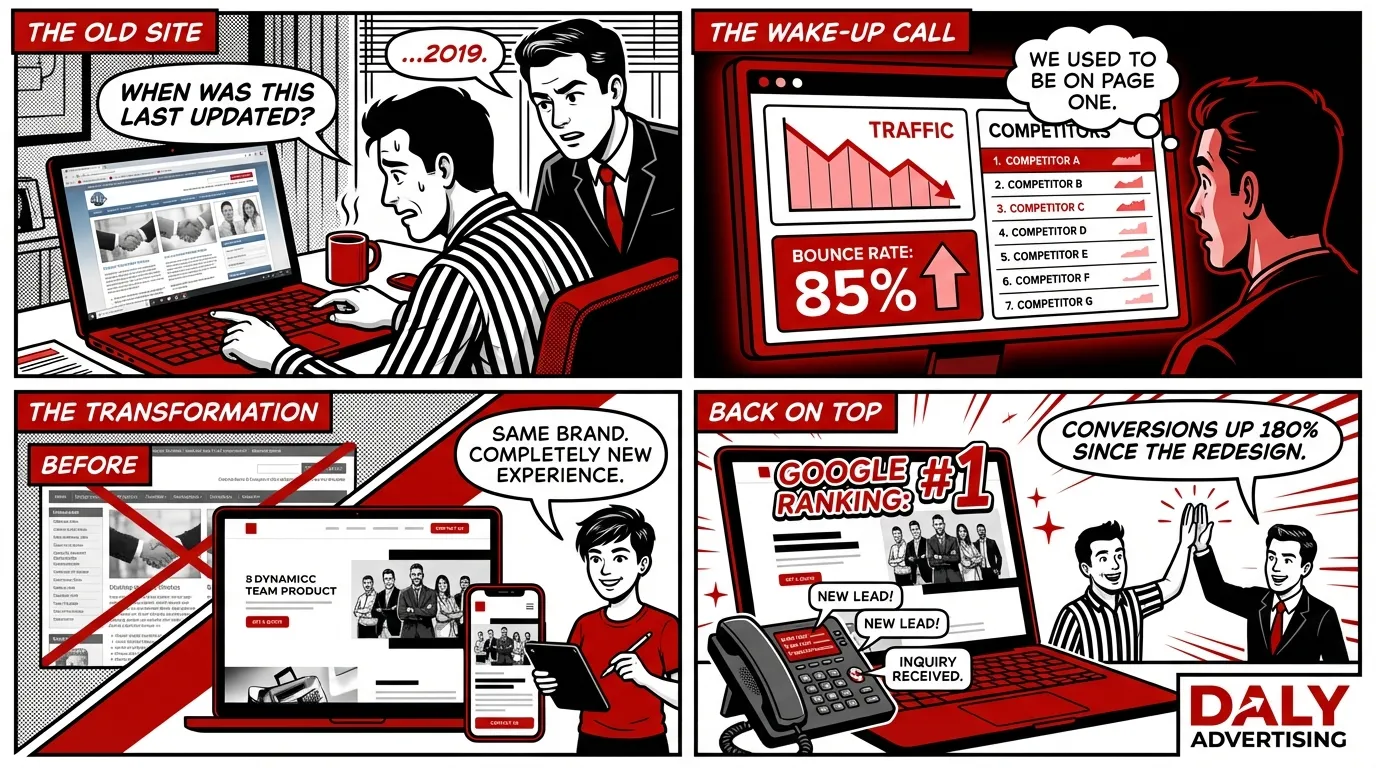
Most businesses redesign their website for the wrong reasons. A new logo, a CEO who is bored with the homepage, a competitor who launched a flashy new site. These are impulses, not strategies. And acting on them without a plan is exactly how companies lose 30 to 60 percent of their organic traffic overnight.
We have seen it happen dozens of times. A business owner invests $15,000 in a gorgeous new website. It launches on a Friday. By Monday, their Google rankings have cratered. Pages that used to bring in 200 visitors per day are returning 404 errors. Three months of SEO progress, gone in one afternoon because nobody mapped the old URLs to the new ones.
A website redesign should be a strategic investment, not a cosmetic one. Done right, it improves performance, increases conversions, and strengthens your SEO foundation. Done wrong, it is the most expensive mistake you will make all year.
This guide covers the seven signs that actually indicate you need a redesign, how to execute one without losing traffic, what the process looks like week by week, and realistic cost expectations based on scope.
Why Most Website Redesigns Fail
Before we get into the signs, it is worth understanding why redesigns go sideways. The pattern is almost always the same.
A business hires a designer or agency. The focus is entirely on how the site looks. Nobody audits the existing site's SEO performance. Nobody maps which pages are driving traffic. Nobody documents the URL structure. The new site launches with different URLs, missing pages, and no redirects. Google crawls the new site, finds hundreds of broken links, and starts dropping rankings within days.
According to a 2025 Ahrefs study, 45% of redesigned websites experience a measurable drop in organic traffic within the first month after launch. Of those, nearly half never fully recover. The traffic loss is not because redesigns are inherently risky. It is because the SEO migration was either ignored or handled as an afterthought.
The takeaway: a redesign is not just a design project. It is a design, development, and SEO project. If your agency does not talk about redirects and URL mapping before they show you mockups, find a different agency.
7 Signs Your Website Actually Needs a Redesign
Not every ugly website needs a redesign, and not every good-looking website is performing well. The decision should be based on measurable problems, not opinions. Here are the seven indicators that your site has outgrown its current form.
1. Your Pages Take More Than 3 Seconds to Load
Page speed is not just a ranking factor. It is a revenue factor. Google's own data shows that as page load time increases from 1 second to 3 seconds, the probability of bounce increases by 32%. At 5 seconds, that number jumps to 90%.
Run your site through Google PageSpeed Insights. If your mobile score is below 50, you have a problem that CSS tweaks will not fix. Common causes of slow Shopify and WordPress sites include unoptimized images, excessive plugin or app bloat, render-blocking JavaScript, and outdated themes that were never built for performance.
If your site's codebase is so bloated that optimization would take as long as rebuilding, a redesign is the more efficient path. A modern site built on a performance-first framework can achieve scores of 90 or higher out of the box.
2. Your Site Is Not Mobile-Friendly
In 2026, over 65% of all web traffic comes from mobile devices. Google uses mobile-first indexing, meaning it evaluates and ranks the mobile version of your site, not the desktop version. If your mobile experience is poor, your rankings will suffer regardless of how good the desktop version looks.
Mobile-friendliness goes beyond responsive design. Test your site on an actual phone and ask yourself: Can I complete a purchase in under 60 seconds? Are buttons large enough to tap without zooming? Does text require horizontal scrolling? Does the navigation work with one thumb? If the answer to any of these is no, you are losing customers and rankings.
Sites built before 2020 often have "responsive" layouts that technically resize but deliver a poor mobile experience. If your mobile bounce rate is 15 to 20 percentage points higher than desktop, that gap is telling you something.
3. Your Bounce Rate Is Above 60%
A high bounce rate means visitors are arriving and leaving without engaging. While bounce rate varies by industry (blog content naturally has higher bounce rates than product pages), a site-wide bounce rate above 60% signals a problem.
Common causes include slow load times, confusing navigation, content that does not match search intent, poor visual design that undermines trust, and aggressive pop-ups. Check your bounce rate in GA4 under Reports > Engagement > Pages and screens. If specific landing pages have bounce rates above 70%, those pages need attention. If it is a site-wide problem, a redesign is likely the answer.
The goal is not a zero bounce rate. That is impossible. The goal is bringing your bounce rate in line with industry benchmarks. For ecommerce, that is typically 35 to 55%. For service businesses, 40 to 60%.
4. Your Design Looks Outdated and Undermines Trust
This is the one subjective sign on the list, but it matters more than most people realize. Stanford's Web Credibility Research found that 75% of users judge a company's credibility based on its website design. If your site looks like it was built in 2018, visitors are subconsciously questioning whether your business is still active and trustworthy.
Specific red flags include stock photos that look generic, inconsistent branding across pages, no social proof (reviews, testimonials, case studies), missing security indicators like SSL badges or trust seals, and a footer with a copyright year from three years ago.
Compare your site to your top three competitors. If theirs look modern and yours does not, you are losing deals before the prospect even reads your offer. First impressions online take 50 milliseconds, and design is the single biggest factor.
5. You Cannot Edit Content Without a Developer
If updating a headline, swapping an image, or publishing a blog post requires you to email a developer and wait 48 hours, your website is holding your business back. Content velocity matters for SEO. Google rewards sites that publish fresh, relevant content consistently. If your CMS makes that difficult, you are losing ground to competitors who can move faster.
Modern content management systems like Shopify's Online Store 2.0, WordPress with Gutenberg, or headless CMS platforms like Sanity give non-technical users the ability to manage content directly. If your current site requires FTP access or code edits for basic changes, a redesign onto a modern CMS will pay for itself in saved developer hours alone.
6. Your Site Has No SEO Foundation
Open your site in an incognito window and view the page source. Check for these basics: Does every page have a unique title tag? Does every page have a meta description? Are heading tags (H1, H2, H3) used in a logical hierarchy? Does the site have an XML sitemap? Is there a robots.txt file? Is there any structured data (schema markup)?
If the answer to three or more of these is no, your site was not built with SEO in mind. Retrofitting SEO onto a site that was not designed for it is often more expensive and less effective than rebuilding with SEO baked into the architecture from day one.
A proper SEO foundation includes clean URL structures, proper heading hierarchies, optimized metadata on every page, internal linking strategy, schema markup, fast load times, and mobile optimization. If your site is missing most of these, check out our breakdown of what a proper website build costs and what you should expect from a quality agency.
7. Your Conversion Rate Is Below Industry Average
Your website exists to convert visitors into customers, leads, or subscribers. If it is not doing that effectively, the design and user experience are likely the bottleneck. Average ecommerce conversion rates hover around 2.5 to 3.5% in 2026. For lead generation sites, a healthy form conversion rate is 3 to 8%.
If your numbers are significantly below these benchmarks, start by analyzing your funnel in GA4. Where are users dropping off? Is it the product page? The cart? The checkout? Sometimes the fix is targeted optimization, like rewriting product descriptions or simplifying the checkout flow. But if the problems are structural, scattered across multiple pages and touchpoints, a redesign that rethinks the entire user journey is the faster path to results.
For ecommerce-specific conversion strategies, our guide on ecommerce conversion rate optimization covers the tactics that move the needle most.
How to Redesign Without Losing Traffic
This is the section that separates a successful redesign from a disaster. Follow these steps and you will protect your existing rankings while improving your site.
Step 1: Conduct a Full Content and URL Audit
Before you change anything, document everything. Crawl your current site using a tool like Screaming Frog or Ahrefs Site Audit. Export a complete list of every URL on your site along with its title tag, meta description, H1, word count, and organic traffic from GA4.
Categorize every page into one of four buckets:
- Keep as-is - Pages that rank well and convert. Do not touch the content. Only update the design wrapper.
- Update and improve - Pages with decent traffic but room for improvement. Rewrite or expand the content during the redesign.
- Merge - Thin pages covering similar topics that should be consolidated into one stronger page.
- Remove - Pages with zero traffic, no backlinks, and no strategic value. Redirect these to relevant existing pages.
This audit is the foundation of your entire migration strategy. Skip it and you are flying blind.
Step 2: Map Every URL Change with 301 Redirects
If any URL will change during the redesign, you need a 301 redirect from the old URL to the new one. A 301 redirect tells Google (and users) that the page has permanently moved. It transfers approximately 90 to 99% of the original page's ranking power to the new URL.
Create a redirect map spreadsheet with three columns: old URL, new URL, and notes. Every single page that changes location needs an entry. This includes pages where only the slug changed slightly (e.g., /about-us to /about), pages that merged into a new combined page, and pages that were removed (redirect to the most relevant alternative).
Common mistakes to avoid:
- Redirecting everything to the homepage. This is lazy and destroys the ranking value of individual pages.
- Using 302 (temporary) redirects instead of 301 (permanent). A 302 does not pass full ranking equity.
- Forgetting image URLs. If your images move to a new CDN or file structure, redirect those too.
- Missing pagination URLs. If you had
/products?page=2and the new site uses a different pagination pattern, handle it.
Step 3: Preserve Existing Metadata
Every page that ranked well had a title tag and meta description contributing to its click-through rate. During a redesign, it is tempting to rewrite everything. Do not rewrite metadata on pages that are performing well unless you have a specific reason to improve them.
Export all title tags and meta descriptions from your content audit. For pages in the "keep as-is" bucket, transfer the exact metadata to the new site. For pages you are updating, write new metadata that is optimized for your target keywords while maintaining the searcher intent that was working.
Step 4: Build and Test on a Staging Environment
Never redesign in production. Set up a staging environment (a password-protected copy of your new site) and block it from search engines with a noindex meta tag or robots.txt disallow rule. This gives you a safe space to test everything before the real launch.
On staging, verify that all redirects are working by testing a sample of at least 50 URLs from your redirect map. Check that all metadata has been transferred correctly. Test the site on mobile devices. Run PageSpeed Insights and fix any performance issues. Test all forms, checkout flows, and interactive elements. Validate structured data with Google's Rich Results Test.
Step 5: Launch with a Monitoring Plan
Once you have tested everything on staging, launch during a low-traffic period (typically Tuesday or Wednesday morning). Immediately after launch, take these steps:
- Submit your updated sitemap to Google Search Console
- Request indexing for your most important pages
- Monitor the Coverage report in Google Search Console daily for the first two weeks
- Watch for crawl errors, 404s, and indexing drops
- Check GA4 daily to compare traffic against the previous period
- Set up custom alerts in GA4 for traffic drops greater than 20%
It is normal to see minor fluctuations in the first one to two weeks. Google needs time to recrawl and reevaluate your site. If you followed steps 1 through 4, those fluctuations should settle within 30 days. If you see a significant drop that does not recover after two weeks, check your redirect map for missing entries and review Google Search Console for crawl errors.
What a 4 to 8 Week Redesign Process Looks Like
Every project is different, but here is a realistic timeline for a mid-sized business website (20 to 60 pages) going through a professional redesign.
| Week | Phase | Deliverables |
|---|---|---|
| 1 | Discovery and Audit | Content audit, URL inventory, analytics review, competitor analysis, project goals documentation |
| 2 | Strategy and Architecture | Sitemap, wireframes, redirect map, keyword-to-page mapping, content plan |
| 3-4 | Design | Homepage mockup, inner page templates, mobile designs, client review and revisions |
| 4-6 | Development | Front-end build, CMS setup, content migration, form and integration setup, performance optimization |
| 6-7 | Content and SEO | Metadata implementation, schema markup, content rewrites, image optimization, internal linking |
| 7-8 | Testing and Launch | QA on staging, redirect testing, cross-browser and mobile testing, performance audit, launch, post-launch monitoring |
The most common cause of timeline overruns is not development. It is content. Waiting for copy approvals, product descriptions, and image assets from the client accounts for the majority of project delays. If you want your redesign done in 6 weeks, have your content ready (or at least outlined) before development starts.
For larger sites (100+ pages) or ecommerce stores with complex product catalogs, expect 10 to 16 weeks. Platform migrations (e.g., WordPress to Shopify, or Magento to Shopify) add another 2 to 4 weeks due to data migration and testing requirements.
Website Redesign Cost: What to Actually Expect
Pricing for website design services varies widely, and most of the ranges you find online are either outdated or misleading. Here is what different levels of redesign actually cost in 2026, based on real project data.
| Scope | What's Included | Typical Cost | Timeline |
|---|---|---|---|
| Visual Refresh | New colors, fonts, images, and layout updates on your existing platform. No structural changes. | $3,000 - $8,000 | 2-4 weeks |
| Standard Redesign | New design, improved UX, content rewrites, SEO optimization, same platform. | $8,000 - $20,000 | 4-8 weeks |
| Full Rebuild | Platform migration, custom design, full content strategy, SEO migration, custom functionality. | $15,000 - $40,000+ | 8-16 weeks |
| Enterprise / Complex Ecommerce | Large catalog migration, custom integrations, multi-language, advanced features. | $40,000 - $100,000+ | 12-24 weeks |
Factors that push costs higher include custom functionality (calculators, configurators, portals), complex integrations (ERP, CRM, inventory systems), multilingual requirements, large product catalogs requiring data migration, and custom photography or video production.
Factors that keep costs reasonable include using a pre-built theme as a starting point, having content ready before the project starts, clear scope and requirements upfront, and consolidating feedback rounds.
The cheapest redesign is not the best deal. A $3,000 redesign that ignores SEO migration and costs you $50,000 in lost organic traffic over the next year is the most expensive option. Always ask your agency what their SEO migration process looks like. If they do not have one, that is your answer.
How to Choose the Right Website Redesign Partner
Whether you hire a freelancer, an agency, or build in-house, here is what to look for in a redesign partner.
They Lead with Strategy, Not Mockups
A good agency will spend the first week or two on research and strategy before showing you any designs. They will audit your current site, analyze your competitors, define your goals, and create a documented plan. If someone shows you a homepage mockup in the first meeting, they are designing based on assumptions, not data.
They Have an SEO Migration Process
Ask specifically: "What is your process for preserving SEO rankings during a redesign?" A qualified partner will mention URL audits, 301 redirect mapping, metadata preservation, content audits, and post-launch monitoring. If they shrug or say "we will handle it," keep looking.
They Measure Results, Not Just Deliverables
The deliverable is not a website. The deliverable is a website that performs better than what you had before. Look for partners who set measurable KPIs before the project starts (load time targets, conversion rate goals, organic traffic benchmarks) and report on them after launch.
They Show Relevant Work
A portfolio of beautiful websites means nothing if none of them are in your industry or solve similar problems. Ask for case studies that show before-and-after metrics, not just screenshots. What was the traffic impact? Did conversions improve? How long did the project take? Those numbers tell you more than any design award.
Post-Launch: The First 90 Days
The redesign is not done when the site launches. The first 90 days after launch are critical for catching issues, measuring improvement, and fine-tuning performance.
Days 1 to 14: Monitor and Fix
Check Google Search Console daily. Look for crawl errors, pages dropping from the index, and redirect chains. Fix issues immediately. Monitor GA4 for traffic trends compared to the same period last year. Test all conversion points (forms, checkout, phone clicks) to ensure nothing broke during migration.
Days 15 to 30: Optimize and Adjust
By now, Google has recrawled most of your site. Review your Core Web Vitals in Search Console. Are they meeting targets? Check heatmaps and session recordings (using tools like Hotjar or Microsoft Clarity) to see how real users interact with the new design. Identify friction points and make targeted adjustments.
Days 31 to 90: Measure and Scale
Compare key metrics against your pre-redesign baseline: organic traffic, bounce rate, conversion rate, page speed scores, and average session duration. Document what improved and what still needs work. This is also the right time to start scaling your content strategy on the new site, publishing new pages and blog posts that take advantage of the improved SEO foundation.
For ecommerce sites, this is when you should be running A/B tests on product pages, checkout flows, and calls to action. The redesign gave you a clean foundation. Now it is time to optimize on top of it. Our guide on conversion rate optimization covers the specific tests worth running first.
Common Redesign Mistakes to Avoid
We have managed dozens of redesigns and migrations. These are the mistakes we see most often, even from experienced teams.
- Redesigning without goals. "Make it look modern" is not a goal. Define measurable outcomes before you start: reduce load time to under 2 seconds, increase conversion rate by 1 percentage point, grow organic traffic by 30% in 6 months.
- Ignoring analytics data. Your current site has data that tells you what works. Which pages drive the most traffic? Which pages have the highest conversion rates? Which content gets shared? Use that data to inform what you keep, improve, or remove.
- Removing content that ranks. If a blog post brings in 500 organic visitors per month, do not delete it because "it does not fit the new design." Redesign the template. Keep the content.
- Launching without testing redirects. Test every redirect on staging before going live. A broken redirect map is the number one cause of post-redesign traffic loss.
- Forgetting about page speed. A redesign that looks amazing but loads in 6 seconds will perform worse than the old site. Performance must be a design constraint from day one.
- Not having a rollback plan. Keep your old site backed up and ready to restore for at least 30 days after launch. If something goes catastrophically wrong, you want the option to revert while you fix the issue.
- Skipping the content strategy. A new design with the same mediocre content is just lipstick on a pig. If your existing content is thin, outdated, or poorly written, the redesign should include a content improvement plan.
When a Redesign Is Not the Answer
Sometimes the problem is not your website. Before investing in a redesign, rule out these alternatives.
If your traffic is fine but conversions are low, you might need conversion rate optimization rather than a full redesign. Targeted changes to your product pages, checkout flow, or calls to action can dramatically improve results without rebuilding the entire site.
If your site looks good but nobody can find it, you need an SEO strategy, not a redesign. Investing in content, backlinks, and technical SEO on your existing site may deliver better ROI than starting over. Our Shopify SEO guide covers the fundamentals if you are on that platform.
If your site is functional but you just want it to look different, consider a visual refresh instead of a full redesign. Updating colors, typography, images, and layout within your existing platform costs a fraction of a rebuild and can be completed in 2 to 3 weeks.
The right answer depends on the specific problems you are trying to solve. That is why we always start with a site audit before recommending a path forward.
Next Steps
If you recognized three or more of the seven signs in this article, your website is likely costing you customers and revenue. The question is not whether to redesign. It is how to do it without breaking what is already working.
Start by pulling your current site's performance data from GA4 and Google Search Console. Know your baseline numbers before talking to any agency or freelancer. Understand which pages drive traffic and revenue so you can protect them during the migration.
If you want a professional assessment, request a free site audit. We will review your site's performance, SEO foundation, and conversion potential, then tell you exactly what a redesign would involve for your specific situation. No templates, no cookie-cutter proposals. Just a clear picture of where you are and what it would take to get where you want to be.