 DALY
DALY 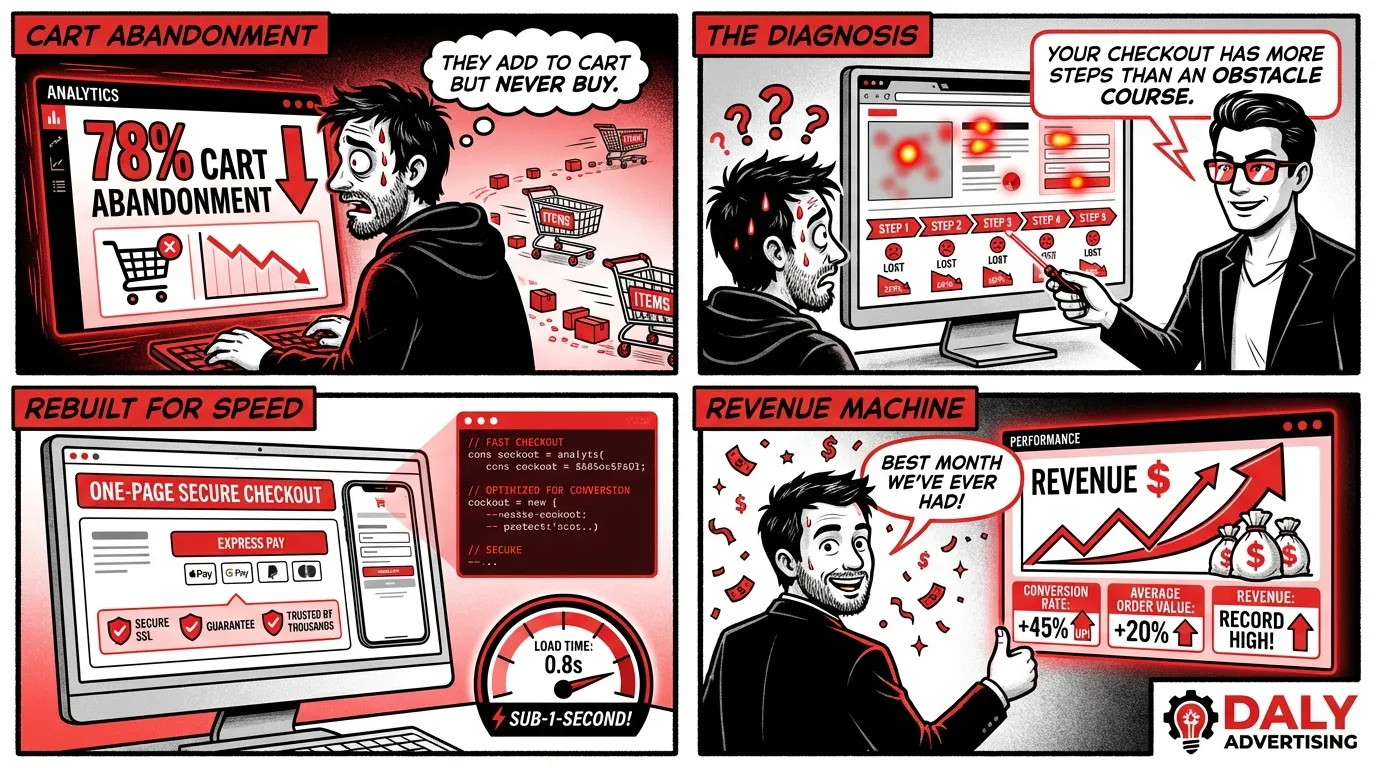
The Platform Is Not the Problem
Most ecommerce sites fail not because of the platform but because of bad architecture decisions made in week one. We have seen Shopify stores generating $5M per year and custom headless builds that cannot convert a single visitor. The difference is never the technology. It is whether the team building the store understands how ecommerce revenue actually works.
Every week, a business owner asks us whether they should use Shopify, WooCommerce, BigCommerce, or build something custom. The honest answer is that it depends, but not on the reasons most people think. It does not depend on which platform your developer prefers. It does not depend on which one has the flashiest demo. It depends on your product catalog, your operations, your growth trajectory, and how much you are willing to invest in ongoing optimization.
This guide covers everything you need to make that decision correctly. We will walk through each platform, show you real cost ranges, and then focus on what most guides skip entirely: the features and architecture decisions that actually move revenue. If you are evaluating an ecommerce build or rebuild, this is the resource we wish existed when we started building stores over a decade ago.
Platform Comparison: Shopify vs WooCommerce vs BigCommerce vs Headless
Every ecommerce platform makes tradeoffs. The goal is not to find the perfect platform. It is to find the platform whose tradeoffs align with your business. Here is how the four major options compare across the dimensions that actually matter.
| Feature | Shopify | WooCommerce | BigCommerce | Headless / Custom |
|---|---|---|---|---|
| Setup Cost | $3K - $30K | $3K - $25K | $5K - $35K | $40K - $300K+ |
| Monthly Cost | $39 - $399+ plan | $30 - $200 hosting | $39 - $399+ plan | $200 - $2,000+ infra |
| Time to Launch | 2 - 8 weeks | 4 - 12 weeks | 3 - 10 weeks | 3 - 8 months |
| Technical Skill Needed | Low to Medium | Medium to High | Low to Medium | High |
| Customization | Moderate (Liquid) | High (PHP/hooks) | Moderate (Stencil) | Unlimited |
| SEO Control | Good (some URL limits) | Excellent (full control) | Good | Excellent |
| App / Plugin Ecosystem | 8,000+ apps | 59,000+ plugins | 1,200+ apps | Build your own |
| Hosting / Security | Fully managed | Self-managed | Fully managed | Self-managed |
| Best For | Most businesses, DTC brands, growing stores | Content-heavy sites, WordPress users, budget builds | Mid-market B2B, multi-channel sellers | Enterprise, unique UX, complex catalogs |
Let us break down when each platform is the right choice.
Shopify: The Default for Most Businesses
Shopify is the right answer for roughly 70% of businesses starting or rebuilding an ecommerce store. Not because it is the most powerful or the most customizable, but because it removes the most friction between having products and selling them online.
Shopify handles hosting, security, PCI compliance, CDN, and payment processing. You do not need a systems administrator. You do not need to worry about WordPress plugin conflicts breaking your checkout at 2 AM on Black Friday. The platform absorbs that operational complexity so you can focus on products, marketing, and customers.
The app ecosystem is mature enough to cover virtually every feature a growing store needs: subscriptions, loyalty programs, advanced filtering, bundle builders, review collection, and more. Shopify Plus, starting at $2,300 per month, unlocks checkout customization, automation, and multi-storefront capabilities for larger operations.
Where Shopify falls short: URL structure is rigid (everything lives under /products/, /collections/, etc.), deep customization requires Liquid templating knowledge, and transaction fees apply if you do not use Shopify Payments. For a deeper look at optimizing a Shopify store, read our complete Shopify SEO guide.
WooCommerce: The WordPress Play
WooCommerce makes sense when you already have a content-heavy WordPress site and want to add ecommerce without migrating platforms. It also makes sense when you need maximum URL flexibility and SEO control, or when you have a developer on staff who knows WordPress intimately.
The plugin ecosystem is enormous, but that is a double-edged sword. More plugins mean more potential conflicts, more security vulnerabilities, and more maintenance overhead. Every WooCommerce store needs managed hosting (we recommend Cloudways or WP Engine for ecommerce), regular plugin updates, and ongoing security monitoring.
Total cost of ownership for WooCommerce is often higher than Shopify once you factor in hosting, premium plugins, security, and developer time for maintenance. The "free" price tag is misleading. A properly configured WooCommerce store with hosting, essential plugins, and security typically costs $150 to $400 per month to maintain before you even account for development time.
BigCommerce: The Middle Ground
BigCommerce occupies the space between Shopify and custom builds. It offers more built-in B2B features than Shopify (customer groups, price lists, quote management), better native multi-channel support, and no transaction fees on any plan. Its headless capabilities through the BigCommerce API are also strong if you want to pair it with a modern frontend framework later.
The tradeoff is a smaller app ecosystem and a smaller developer community. Finding a BigCommerce specialist is harder and often more expensive than finding a Shopify developer. For B2B ecommerce or businesses that plan to go headless eventually, BigCommerce is worth serious consideration.
Headless and Custom Builds: When Nothing Else Fits
Headless ecommerce decouples the frontend (what customers see) from the backend (inventory, orders, payments). You might use Shopify or BigCommerce as the backend commerce engine and build a completely custom frontend with Next.js, Astro, or another framework. Or you might build the entire stack from scratch using a commerce API like Medusa or Saleor.
This approach is justified when you need a completely unique user experience that no template or theme system can deliver, when you are operating across multiple regions with different currencies, languages, and tax rules, or when you need to integrate deeply with proprietary inventory management or ERP systems.
It is not justified when you are trying to look different from competitors. A well-designed Shopify theme can be visually unique. Custom web application development should only happen when your business requirements genuinely cannot be met by an existing platform.
Real Ecommerce Website Costs: What You Will Actually Pay
Ecommerce website cost is one of the most searched questions in our industry, and most answers are useless because they quote ranges without context. Here are the actual costs broken down by what you get at each level.
Starter Store: $3,000 - $15,000
This gets you a Shopify or WooCommerce store with a premium theme, brand customization (colors, fonts, logo placement), up to 50 products configured, basic payment and shipping setup, essential apps installed (email capture, analytics, reviews), and mobile-responsive design. What it does not include: custom functionality, deep SEO optimization, or conversion rate optimization. This is a functional store, not an optimized one.
Growth Store: $15,000 - $60,000
This is where most serious ecommerce businesses should start. At this tier, you get custom design (not just theme tweaks), strategic information architecture built around how customers actually search and browse, SEO-first URL and category structure, custom product filtering and search, integration with email marketing, CRM, or inventory management, performance optimization targeting 90+ PageSpeed scores, product schema and structured data implementation, and mobile-first checkout optimization.
The difference between a $5,000 store and a $30,000 store is not aesthetics. It is the architecture, the SEO foundation, and the conversion engineering that happen before a single line of code is written. Read our breakdown of ecommerce conversion rate optimization to understand what that engineering looks like in practice.
Enterprise Store: $60,000 - $300,000+
Enterprise ecommerce involves custom checkout flows, headless architecture, multi-region and multi-currency support, ERP and warehouse management integrations, B2B portals with customer-specific pricing, advanced personalization engines, and dedicated DevOps infrastructure. At this level, you are not buying a website. You are building a commerce platform. Monthly operational costs (hosting, monitoring, support, updates) typically run $2,000 to $10,000.
The Costs Everyone Forgets
Beyond the build itself, budget for these recurring expenses:
- Product photography: $25 to $75 per product for professional shots. This is not optional. Product photography is the single highest-impact investment for ecommerce conversion rates.
- Content creation: Product descriptions, category page content, and blog posts. Budget $2,000 to $8,000 for initial content and $500 to $2,000 per month ongoing.
- App and plugin subscriptions: $100 to $500 per month for essential tools (email marketing, reviews, search, analytics).
- Maintenance and updates: $200 to $1,000 per month for theme updates, security patches, and bug fixes.
- SEO and marketing: $1,500 to $5,000 per month for ongoing optimization. A store without traffic is an expensive brochure.
What Actually Drives Ecommerce Revenue
This is the section most ecommerce development guides skip, and it is the most important one. You can spend $100,000 on a beautiful store and watch it generate nothing if you ignore the features that actually influence buying behavior. Here is what the data says matters most.
Site Speed: The Silent Revenue Killer
Every additional second of page load time reduces conversions by 4.4% on average, according to Portent's 2025 analysis. For a store doing $50,000 per month, a 2-second improvement in load time could mean an additional $4,400 per month or $52,800 per year.
Core Web Vitals are not just a Google ranking factor. They directly measure the experience your customers have. Largest Contentful Paint under 2.5 seconds, Interaction to Next Paint under 200 milliseconds, and Cumulative Layout Shift under 0.1 should be non-negotiable targets for any ecommerce store.
Practical speed improvements that generate ROI: compress and lazy-load images, remove unused apps and scripts, use a theme built on modern web standards, defer non-critical JavaScript, and serve assets through a CDN. If your store scores below 50 on Google PageSpeed Insights on mobile, you are losing customers to load times.
On-Site Search: Your Highest-Intent Feature
Visitors who use site search convert at 1.8x the rate of visitors who browse, according to Baymard Institute. Yet most ecommerce stores treat search as an afterthought, using the default search bar that cannot handle typos, synonyms, or partial matches.
Invest in search that handles misspellings and autocomplete suggestions, supports filters within search results, displays products with images and prices in results, and tracks what people search for (this data is gold for merchandising and SEO). Tools like Algolia, Searchspring, or even Shopify's Search and Discovery app can transform a basic search box into a revenue-generating feature.
Checkout Optimization: Where Revenue Is Won or Lost
The average ecommerce cart abandonment rate is 70.19% according to the Baymard Institute. That means for every 10 customers who add something to their cart, only 3 complete the purchase. Most of that abandonment happens at checkout.
The highest-impact checkout optimizations: offer guest checkout (forcing account creation kills conversions), minimize form fields (name, email, address, payment, done), show shipping costs early (unexpected costs at checkout are the number one reason for abandonment), offer multiple payment options including Apple Pay, Google Pay, and buy-now-pay-later, and display trust signals and security badges near payment fields.
Shopify's one-page checkout, introduced in 2024, reduced checkout abandonment by 15% for stores that adopted it early. If your platform still uses a multi-step checkout, this alone justifies a platform evaluation.
Mobile UX: Where Most of Your Customers Are
Mobile commerce accounts for 60% of all ecommerce traffic and is projected to exceed 62% by the end of 2026 according to Statista. If your store is not designed mobile-first, you are optimizing for the minority of your visitors.
Mobile-first ecommerce design means touch-friendly buttons and navigation with adequate tap targets, sticky add-to-cart buttons that stay visible while scrolling product pages, simplified mobile navigation with clear category hierarchy, image galleries optimized for swipe gestures, and forms that use appropriate mobile keyboard types (numeric for phone, email for email fields).
Test your store on actual mobile devices, not just browser simulators. The gap between simulated and real mobile experience is significant, especially on mid-range Android devices that represent the majority of global mobile traffic.
Product Photography: The Conversion Multiplier
Etsy's 2025 seller study found that listings with professional photography sold 3.2x more than listings with amateur photos. For ecommerce stores, product photography is not a design decision. It is a revenue decision.
Minimum standard for ecommerce product images: white background hero shot, 3 to 5 additional angles, at least one lifestyle or in-context image, zoom capability for detail inspection, and consistent aspect ratios across all products. Investing $5,000 to $15,000 in professional product photography for your initial catalog will generate more revenue than spending the same amount on custom design flourishes.
Technical Must-Haves for Ecommerce SEO
A store that cannot be found is a store that cannot sell. These technical foundations should be part of every ecommerce build, not treated as phase-two additions. Our Shopify marketing strategy guide covers the broader marketing picture, but here are the technical non-negotiables.
Schema Markup and Structured Data
Product schema tells Google exactly what you sell, what it costs, whether it is in stock, and what customers think of it. Stores with properly implemented product schema see 20 to 30% higher click-through rates from search results because their listings display star ratings, prices, and availability directly in the SERP.
Every product page should include Product schema with name, description, image, price, currency, availability, SKU, and brand. If you collect reviews, include AggregateRating schema. Category pages should include CollectionPage or ItemList schema. Every page should have BreadcrumbList schema for navigation context.
Core Web Vitals and PageSpeed
Google uses Core Web Vitals as a ranking factor, and for ecommerce specifically, page speed correlates directly with revenue. Target these benchmarks: LCP under 2.5 seconds (aim for under 1.5 seconds), INP under 200 milliseconds, CLS under 0.1. Audit every page type (homepage, category, product, cart, checkout) separately. A fast homepage means nothing if your product pages take 6 seconds to load.
Mobile-First Architecture
Google uses mobile-first indexing, meaning it evaluates and ranks your site based on the mobile version. If your mobile experience is degraded, compressed, or missing content compared to desktop, your rankings will suffer across both devices. Build mobile-first and enhance for desktop, not the other way around.
Product Structured Data for Rich Results
Beyond basic product schema, implement FAQ schema on product pages that answer common questions (sizing, shipping, materials), How-To schema for products that require assembly or setup, and Video schema if you include product demonstration videos. These structured data implementations increase SERP real estate and click-through rates, driving more organic traffic without any additional content investment.
The Five Most Expensive Ecommerce Mistakes
After building and auditing hundreds of ecommerce stores, these are the mistakes we see most often. Each one costs real revenue.
1. Over-Customizing a Hosted Platform
Shopify is powerful because of its constraints, not despite them. When you hire a developer to write 5,000 lines of custom Liquid code, replace the standard checkout with a custom flow, and override the theme engine, you create a store that cannot be updated, cannot use new Shopify features when they launch, and costs a fortune to maintain. The best Shopify stores work with the platform, not against it. Customize where it matters (product pages, collection filtering, brand design) and accept the defaults where customization adds complexity without revenue.
2. Ignoring Page Speed Until After Launch
Performance cannot be bolted on after the fact. If you build a store loaded with heavy JavaScript, unoptimized images, and 15 third-party apps, you cannot easily make it fast later. The architecture has to prioritize speed from day one. Set a PageSpeed budget during development and test against it weekly.
3. Launching Without an SEO Foundation
We regularly audit stores that have been live for 6 to 12 months with no meta descriptions, no product schema, duplicate title tags, and zero content beyond product listings. Retrofitting SEO is three times more expensive than building it into the original development process. URL structure, keyword mapping, schema markup, and content strategy should all be defined before development starts, not after launch when URLs are indexed and redirects are needed.
4. Choosing a Platform Based on Developer Preference
Your developer loves Laravel and wants to build a custom ecommerce platform from scratch. Your business needs to be selling products in six weeks. These are incompatible goals, and the business need should always win. Platform selection should be based on business requirements, budget, timeline, and long-term operational cost, not on which technology your development team finds interesting. A well-executed Shopify store will outperform a half-finished custom build every single time.
5. Underinvesting in Content and Photography
A $30,000 store with stock photos and one-sentence product descriptions will be outperformed by a $10,000 store with professional photography and detailed, keyword-rich product content. The store itself is a container. The content is what sells. Budget at least 20% of your total ecommerce investment for content creation, including photography, product descriptions, and category page content.
How to Choose the Right Platform for Your Business
Skip the feature comparison spreadsheets. Answer these five questions and the right platform becomes obvious.
How many products do you sell? Under 500 products, Shopify handles everything cleanly. Over 500 with complex variants, BigCommerce or headless starts to make sense. Over 10,000 with custom attributes, you are likely in enterprise or headless territory.
Do you sell B2B, DTC, or both? DTC only, Shopify wins. B2B with customer-specific pricing and quote management, BigCommerce has stronger native B2B tools. Both B2B and DTC from the same platform, consider BigCommerce or Shopify Plus.
How much technical support do you have? No technical team, use Shopify or BigCommerce. WordPress developer on staff, WooCommerce is viable. Full engineering team, headless becomes an option. The platform should match your operational reality, not your aspirations.
What is your 12-month revenue target? Under $500K, use Shopify Basic or BigCommerce Standard. $500K to $5M, Shopify Advanced or BigCommerce Pro. Over $5M, evaluate Shopify Plus, BigCommerce Enterprise, or headless. The platform tier should match your scale.
What is your timeline? Need to sell in under 6 weeks, Shopify is the only realistic answer. 2 to 4 months, any platform works. 6 months or more, custom or headless is on the table. A store that launches late costs more than a store that launches on a simpler platform and migrates later.
The Build Process: What to Expect
Whether you hire a Shopify development agency or build in-house, a professional ecommerce development process follows this sequence.
Discovery and strategy (1 to 2 weeks): Define business goals, audit competitors, map customer journey, select platform, define information architecture, and plan keyword and SEO strategy.
Design (2 to 4 weeks): Create wireframes for key page types (homepage, category, product, cart, checkout), design high-fidelity mockups, review and iterate. Mobile designs should come before desktop designs.
Development (3 to 8 weeks): Build the store, configure products and categories, implement custom functionality, integrate third-party tools, set up payment and shipping, implement schema markup and SEO foundations.
Content and QA (1 to 3 weeks): Load product content and images, write meta descriptions and alt text, test every page on multiple devices, audit performance, verify structured data, and run through the complete purchase flow multiple times.
Launch and optimization (ongoing): Go live, monitor analytics and search console, begin iterating based on real user behavior. The launch is not the finish line. It is the starting line for continuous optimization.
Start With the Architecture, Not the Platform
If you take one thing from this guide, let it be this: the decisions that determine whether your ecommerce store succeeds or fails happen before development starts. Platform selection matters, but it matters less than information architecture, SEO strategy, content quality, and checkout optimization. Get those right on any platform and you will outperform stores with bigger budgets and fancier technology.
We have built ecommerce stores on Shopify, WooCommerce, BigCommerce, and custom stacks. The stores that generate the most revenue per dollar invested are the ones where strategy came before code. If you are evaluating an ecommerce build or rebuild, request a free audit and we will show you exactly where the opportunities are in your current setup and what the right build looks like for your business.